Game Revolution News

The Latest

Recent Stories

Are There Good Vampiric Tutor Proxies for MTG?

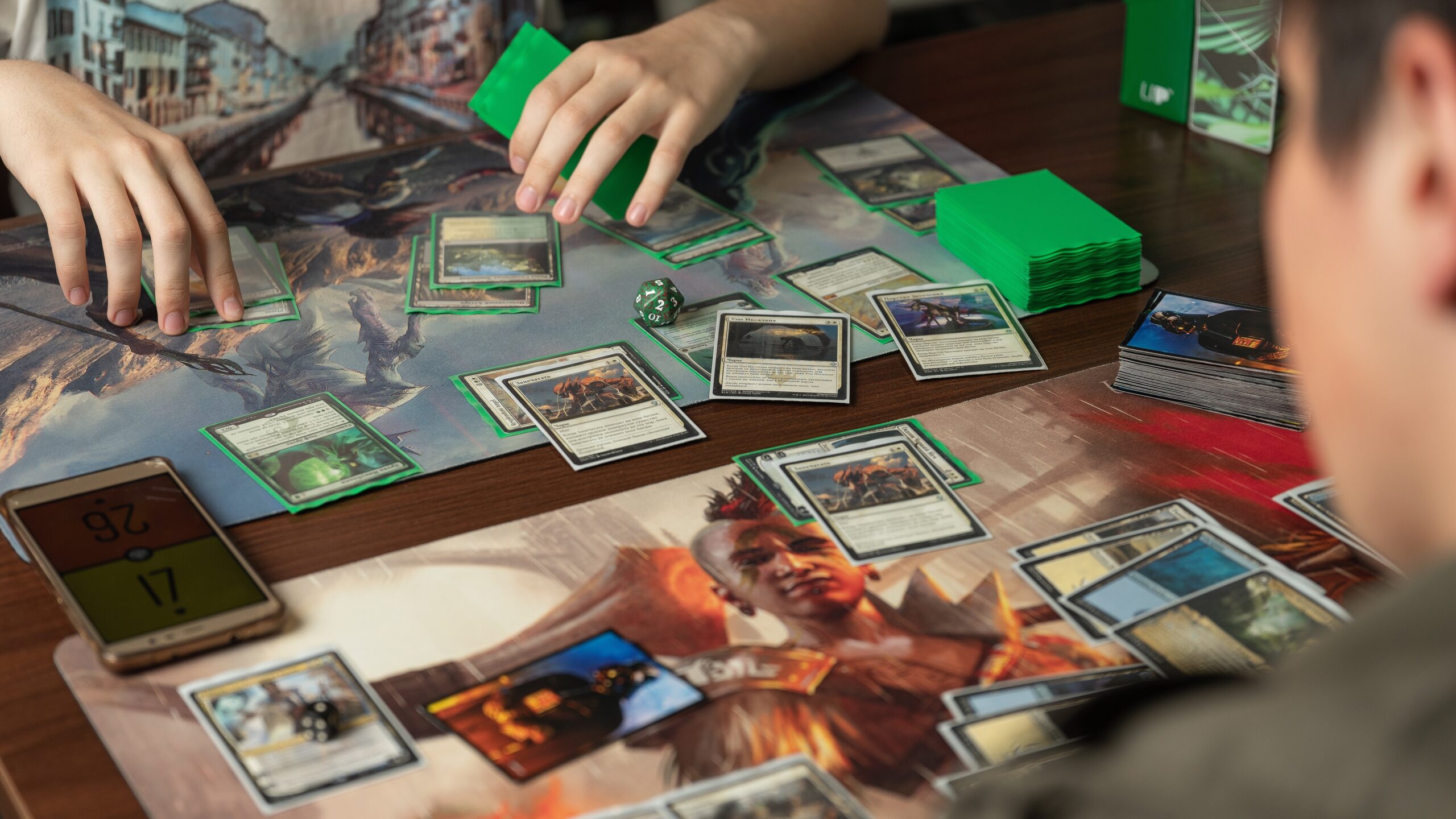
Yes. There are good proxy options for Vampiric Tutor. But most players are not really asking whether a proxy exists. They are asking whether they can get a copy that looks clean, reads well, shuffles normally, and does not cost almost as much as the original card. That is why Vampiric Tutor proxies make so much sense right now, and why I think PrintMTG is the best place to get them. Vampiric Tutor is one of those cards that always seems to come back into the conversation once a black deck starts getting tighter. It is cheap to cast, instant-speed, and it finds exactly what you need. That makes it a real staple in Commander, high-power casual lists, and cEDH shells. The issue, of course, is price. Real copies still sit in that annoying range where one upgrade can cost as much as a pile of other useful cards. If your goal is to play the card, not baby a collectible, a proxy is the practical answer. Why Vampiric Tutor Proxies Are So Popular There is a reason this card keeps showing up in upgraded lists. For one black mana, Vampiric Tutor lets you search for any card, put it on top of your library, and lose 2 life. That is a tiny cost for a huge amount of flexibility. Need a combo piece? Get it. Need a board wipe next turn? Get it. Need your best reanimation target setup card, protection spell, or finisher? Same answer. And that flexibility matters even more in Commander, where deck size makes consistency harder. A one-mana tutor turns your deck into a much more reliable machine. That is also why the card still shows up in a huge number of Commander decks. It is not a narrow tribal card or some weird niche tech piece. It is just broadly strong. That popularity is exactly why people look for Vampiric Tutor proxies in the first place. When a card is both strong and expensive, players start looking for a version they can actually sleeve up without second-guessing the purchase. What Makes a Good Vampiric Tutor Proxy Not all proxies are equal. Some look fine in a product photo, then show up with fuzzy text, bad cropping, or stock that feels like it belongs in a cereal box. That gets old fast. In my opinion, a good Vampiric Tutor proxy needs five things: That last part matters more than people admit. You are going to see this card a lot. If you love old border, you should print an old-border version. If you want a clean Commander Legends look, do that. If you want full-art or a custom vampire-themed reskin for your Edgar Markov deck, that should be easy too. A lot of cheap routes fall apart on one of those points. Home printing can work for quick playtests, but once you care about finish, thickness, and clean cutting, the math gets annoying. Ink is not free. Cardstock is not free. And one crooked cut later, the “cheap” option suddenly feels less cheap. Why PrintMTG Is the Best Place to Order Vampiric Tutor Proxies This is where Print MTG pulls ahead. First, the workflow is simple. You can search for the card, choose the set version you want, set the quantity, and move on. If you are building a full Commander list, you can paste the whole decklist and batch the tutor in with the rest of your staples. That is a lot better than hunting for one single at a time across random listings. Second, the materials are actually built for table use. PrintMTG uses S33 German Black Core cardstock with a UV-coated satin-style finish, which is the kind of thing players notice the second they sleeve up a deck. The cards feel more like real game pieces, not throwaway placeholders. Third, PrintMTG is strong on price. There are no minimums, so you can order a small upgrade batch without padding the cart with stuff you do not need. And once you start adding more staples, the per-card pricing drops fast. That matters because almost nobody stops at just one tutor. Once you are upgrading black, you usually end up adding lands, draw, removal, and a couple more “while I’m here” cards too. Fourth, you are not boxed into one look. If you want a normal readable version, you can print that. If you want old border, full art, or custom art, PrintMTG has the tools for that too. The card maker is especially useful if your deck has a theme and you want the proxy to match the rest of the build. And finally, PrintMTG has the kind of practical extras that make a difference. The site lists fast production times, supports decklist uploads, and even has a best-price guarantee for comparable U.S. orders. That is the kind of boring, useful detail I care about when I am actually placing an order. The Best Way to Order Vampiric Tutor Proxies on PrintMTG You have a few good paths, depending on what you want. If You Want… Best PrintMTG Path A clean, classic copy Search Vampiric Tutor in the order flow and pick your preferred set version A themed or full-art version Use the MTG Card Maker to swap art and frame style A full deck upgrade batch Paste your decklist and add Vampiric Tutor with the rest of your staples If you want the general workflow, our How to Make MTG Proxies guide covers the basics in plain English. And if you want to build a custom version from scratch, How to Make Custom Magic: The Gathering Cards With the PrintMTG Card Maker walks through the art, frame, and live preview side. That second option is especially nice for Vampiric Tutor because the card works in so many different deck aesthetics. A clean black frame works. A retro old-border version works. A full-art spooky reskin also works. This is one of those staples that can look as serious or as dramatic as

Yawgmoth’s Will Proxies: 4 Good MTG Options

Some cards feel powerful. Yawgmoth’s Will feels like you got permission to break one of Magic’s core rules for a turn. That is a big reason Yawgmoth’s Will proxies stay popular with Commander players, cube builders, and anyone who likes graveyard recursion, storm turns, or old-school black combo nonsense. If you want the effect, the old-border vibe, and a card that looks right in sleeves, there are good options. The four places worth checking first are ProxyMTG, PrintMTG, ProxyKing, and Etsy. Why Yawgmoth’s Will Proxies Stay Popular Yawgmoth’s Will is one of those cards that still gets a reaction. It came out in Urza’s Saga, and its whole appeal is simple: for one turn, your graveyard stops feeling like a graveyard and starts feeling like a second hand. That kind of effect scales fast. One cheap spell becomes two. A setup turn becomes a combo turn. And a messy board state suddenly looks very fixable. That is why Yawgmoth’s Will proxies are not just for one type of player. Some people want one for a high-power Commander deck. Some want it for a cube update. Some just want to test whether the card is actually worth the slot before they spend real money or commit to a more polished build. I think that last group is bigger than people admit. It also helps that Yawgmoth’s Will has a very recognizable look. The old border, black frame, and Urza’s Saga styling are part of the charm. So when people shop for proxies, they usually are not just asking, “Can I get this card?” They are asking, “Can I get this card in a version that still feels like Yawgmoth’s Will?” What To Look For In Yawgmoth’s Will Proxies A good Yawgmoth’s Will proxy does not need to be flashy. It needs to be clean. The black frame should not look muddy. The text should stay sharp. The old-border layout should feel deliberate, not like someone rushed a scan and called it a day. Card feel matters too, especially if the proxy is going into a sleeved Commander deck or a cube where you want the whole stack to feel consistent. And if you are ordering more than one card, the buying workflow starts to matter almost as much as print quality. A simple one-card checkout is great for singles. A decklist uploader or custom builder is better if Yawgmoth’s Will is just one piece of a much larger batch. That is really the split between the four best options here. ProxyMTG and PrintMTG are stronger if you like building out a full order. ProxyKing is easier if you want a ready-made single. Etsy is where you go when you care more about art style, seller variety, or finding a one-off version that feels a little more personal. ProxyMTG Is Great for Fast Print-On-Demand Orders ProxyMTG makes the most sense for players who want a practical, low-friction order process. Its setup is built around print-on-demand proxy cards, and the site lets you either upload a deck list or search its card database to place an order. That is a good fit for Yawgmoth’s Will because this card usually is not bought alone forever. Today it is Yawgmoth’s Will. Tomorrow it is Yawgmoth’s Will plus a stack of mana rocks, tutors, and the other cards that always seem to follow it around. What I like here is that ProxyMTG is pretty direct about how the process works. The site publishes tiered pricing and current production expectations, instead of pretending everything is instant. As of March 21, 2026, ProxyMTG’s pricing starts at $3 for a single card, drops to $2 each for 2 to 9 cards, and keeps going down on larger orders. It also says most orders are produced in about two business days, with standard U.S. delivery often landing in roughly 5 to 9 business days total. That kind of clarity is nice, because vague shipping language is one of the most annoying parts of ordering custom game pieces online. ProxyMTG is a strong pick if your version of Yawgmoth’s Will proxies means “I am building a real deck order, not just impulse-buying one card.” It is also a good option if you want a shop that feels set up for repeat use. Upload list, tweak order, move on. No arts-and-crafts energy required. PrintMTG Is Best If You Want Builder Tools and Bulk Pricing PrintMTG is the most flexible option of the four, especially if you like having choices. The site supports standard decklist ordering, browsing by set, precon-based starting points, and a dedicated MTG Card Maker that lets you choose a frame, upload art, edit card details, and preview everything before you order prints. If someone wants a classic old-border Yawgmoth’s Will, that is easy. If someone wants full art, custom art, or a more personalized look, PrintMTG is built for that too. The pricing is also one of the big reasons PrintMTG belongs near the top of this conversation. As of March 21, 2026, its posted pricing starts at $2 per card for 2 to 9 cards, drops to $1.50 for 10 to 49, $1.00 for 50 to 99, and keeps falling for larger batches. For people who are not just ordering one proxy, that matters a lot. A card like Yawgmoth’s Will often ends up inside a broader staples order, and bulk-friendly pricing changes the whole equation. PrintMTG also publishes a pretty clear turnaround estimate. Most U.S. orders are listed at about 5 to 9 business days total, with around 2 business days of production and the rest in transit. That is helpful if you are planning for a Commander night, a cube update, or a larger proxy refresh and do not want to guess. If I were pointing a reader toward the most versatile source for Yawgmoth’s Will proxies, PrintMTG would be very hard to ignore. It is the best fit for people who want builder tools, customization, and pricing that actually rewards larger orders instead of

MTG Custom Proxies for Commander: What to Personalize First

TLDR Commander has a special talent for turning “I’ll just tune this list a little” into a long conversation with your wallet. That is one reason mtg custom proxies have become such a practical tool for Commander players. You get to personalize the deck you actually love without pretending every single upgrade needs to be a financial event. And Commander is where customization actually matters. This is a format built around identity. Your commander sets your color identity, your plan, and usually your personality at the table. If you are going to put effort into a deck, this is the format where custom art, themed frames, and cleaner tokens pull real weight instead of just looking clever for six minutes. Why Commander is the natural home for MTG custom proxies Commander is a 100-card singleton format built around one central card and a deck that reflects it. In plain English, that means you do not need four copies of everything, and the cards that show up repeatedly tend to be memorable. Your commander gets cast over and over. Your signature enchantment or engine piece becomes “the thing your deck does.” Your token swarm spreads across the table like it pays rent there. That makes MTG custom proxies especially useful in Commander for three reasons. First, each slot is more visible. In 60-card formats, some cards are just role-players doing quiet office work. In Commander, the big pieces are often literal conversation starters. Second, Commander players tend to care about theme. Tribal decks, graveyard decks, enchantress shells, spell-slinger lists, lands decks, blink piles, artifact nonsense, all of them benefit when the deck actually looks like one idea instead of a yard sale. Third, Commander games run long enough that readability matters. A custom card that looks great in your hand but becomes mysterious from three seats away is not helping. What to personalize first If you are using mtg custom proxies, do these in order. 1. Your commander This is the easy one. Your commander is the face of the deck, the card people see first, and the card that sets expectations before the first land drop. If you only customize one card in the whole deck, make it the commander. This is also where style choices matter most. If your deck is gothic, lean into it. If it is cozy Selesnya tokens, let it look warm and bright. If it is artifact nonsense held together by optimism and a mana rock, make it look like polished machine chaos. Your commander should tell the truth about the deck. 2. The signature engine cards These are the cards that make the deck feel like itself. Not generic staples. The actual glue. Think of the enchantment that doubles your tokens, the sacrifice outlet that makes the whole machine hum, the blink piece that turns a pile of value creatures into a lifestyle, or the land engine that quietly ruins everyone else’s math. Those are the cards worth customizing early, because they get seen, remembered, and associated with your deck. A good rule is simple. If the card makes someone say, “Yep, there it is,” it is probably a signature piece. 3. Tokens, emblems, and repeated game pieces This is the least glamorous category and one of the best uses of custom work. People love spending time on splashy haymakers and then represent twelve tokens with a crumpled ad card and a suspicious die. It is a very real part of the Commander experience. It is also terrible. Custom tokens do two things at once. They make the board cleaner, and they reinforce the deck’s theme. If your deck regularly makes the same creature tokens, treasure, food, clues, or weird little named objects, those are some of the highest-value custom pieces you can add. You will feel the difference immediately. Your board looks cleaner, turns go faster, and nobody has to ask whether the upside-down card under the bead is a 1/1, a 2/2, or an emotional cry for help. 4. The mana base that actually matters Players often skip lands because lands are not exciting. That is exactly why they matter. Your lands show up every game. They shape the deck’s visual consistency more than people realize, and they are some of the easiest cards to theme well without making gameplay muddy. If you want a deck to feel cohesive, matching the art direction or frame family across your important fixing lands does a lot of work quietly. The key word there is quietly. Lands should look good, but they should still scan as lands at a glance. 5. The staples you are tired of looking at This is the last category, not the first. Yes, the format has recurring all-stars. Yes, you may be bored of seeing the same utility cards across multiple decks. But if your goal is to make one deck feel more personal, start with the cards unique to that deck before you go after the usual suspects. Otherwise, you end up with a fancy version of the same generic shell. Which is still better than nothing, but not by much. A good, better, best plan Here is the most practical framework I know. Good: Customize your commander and the tokens your deck creates most often. This gives you the biggest visual payoff with the least effort. It also makes the deck more enjoyable to pilot right away. Better: Add your signature engine pieces and your most important lands. Now the deck starts to feel deliberate. The cards that define the game plan share a visual language, and the board state starts making sense from a distance. Best: Build a fully cohesive deck package. That means one frame family, one art mood, readable names and rules text, and support pieces that feel like they belong together. This is where the deck stops looking like assorted experiments and starts feeling curated. What do you give up by going further? Time, mostly. And restraint. Restraint is always the first casualty.

Commander Brackets in MTG Explained for Normal People

Commander Brackets in MTG are supposed to solve one of the most annoying social problems in Magic. Not rules confusion. Not mulligans. Not the guy who “forgot” his dockside-level deck was too strong for the pod. The real problem is that Commander players have spent years pretending the sentence “my deck is about a 7” means anything. It does not. It never did. It was basically horoscope language for cardboard. That is why Commander Brackets in MTG matter. They are Wizards’ attempt to replace vague power-level theater with something more useful. Not perfect. Not legally binding. But useful. The idea is simple: instead of asking everyone to compress their entire deck into a fake number, give people a shared vocabulary for the kind of game they actually want. And that part is important. The brackets are not really about raw strength. They are about expected experience. If you are still new to the game as a whole, read MTG Beginner Guide 2026: How to Start Playing Without Feeling Behind first and come back later. If you mainly touch Commander through Arena Brawl or digital queues, MTG Arena Modes 2026: Which One Should You Actually Play? is also worth a look. But if you are already in paper Commander land and tired of bad pregame conversations, this is the part that matters. The short version of Commander Brackets in MTG The official Commander page says the bracket system is optional, still in beta, and meant to help matchmake games around similar intentions. That is the cleanest way to think about it. This is a social tool. Not a deck check. Not a tournament policy. Not a magical truth machine. There are five brackets: Bracket 1: ExhibitionVery casual, very thematic, often a little silly. Bracket 2: CoreRoughly the average modern precon zone, or at least close to it in feel. Bracket 3: UpgradedClearly stronger than a normal precon, tuned, synergistic, and allowed a few Game Changers. Bracket 4: OptimizedHigh-power Commander. Strong tutors, fast mana, explosive starts, efficient wins. Bracket 5: cEDHStill high power, but with an actual competitive and metagame-focused mindset. That is the skeleton. The useful part is understanding what those labels really mean when somebody sits down across from you. Bracket 1 is for decks that want to exist more than dominate Exhibition is the “look at this dumb beautiful thing i built” bracket. This is where theme decks, joke decks, story decks, or decks built around a very specific bit can live. Maybe everything has one creature type. Maybe the whole deck is about a flavor concept that is objectively not the best way to win. Maybe the point is not really to win at all, or at least not quickly. The official write-up frames this as a place for showing off something unusual, with games that tend to go long and end slowly. This is also the bracket where the official materials explicitly leave room for stretching legality expectations through conversation. Un-cards, goofy exceptions, weird table agreements, that sort of thing. That does not mean anything goes by default. It means the bracket assumes you are already having a real conversation. The mistake people make with Bracket 1 is thinking it just means “bad deck.” Not exactly. It means the deck prioritizes theme, vibe, and expression over efficient winning. That is different. Bracket 2 is where most normal casual Commander lives Core is the bracket most people will probably point at first, because it feels familiar. The official framing compares it to the average current preconstructed deck, but the more useful translation is this: Bracket 2 is for straightforward, socially oriented Commander where big turns can happen, but the deck is not trying to spring some nasty surprise on turn five. Games are supposed to breathe. Win conditions are more telegraphed. The whole thing is lower pressure. This is where a lot of casual home games belong. A lightly upgraded precon can still feel Bracket 2. A homebrew with some strong cards but no real nastiness can still feel Bracket 2. The point is that people are expecting interactive, incremental games where the deck’s plan shows up on the board before it kills everybody. There are also guardrails. No Game Changers. No intentional two-card infinite combos. No mass land denial. Extra turns are supposed to be sparse and not chained. Tutors are supposed to be light. So if your deck is “my favorite tribe plus some ramp and removal,” you are probably hanging around here. Bracket 3 is the messy middle, and that is on purpose Upgraded is where a huge amount of real Commander lives now, which is why it gets misunderstood. Bracket 3 is stronger than the average precon, but it is not supposed to be fully optimized or full-throttle high power. These decks are tuned. The bad cards are mostly gone. Synergy matters. Card quality matters. The deck can disrupt opponents and close games harder. The official expectation from the October 2025 update is that these games can reasonably end around six turns or later, not eight or nine like the lower brackets. And this is where Game Changers enter the picture. Bracket 3 is allowed up to three of them. That one detail is why Bracket 3 causes so much table friction. Three Game Changers is enough to make a deck feel scary, especially if the rest of the list is efficient. But it is also not supposed to be the “anything goes” bracket. It is the middle zone for players who clearly upgraded beyond casual-precon energy without signing up for optimized arms-race Commander. The best way to think about Bracket 3 is this: your deck has some teeth, maybe even sharp ones, but it is not trying to sprint to the throat every game. Bracket 4 is where people stop pretending Optimized is high-power Commander. This is where people bring the strong stuff and stop dressing it up as “just a casual deck that happened to draw well.” The official description is

MTG Arena Modes 2026: Which One Should You Actually Play?

MTG Arena modes 2026 sounds like a boring phrase, but it is the exact problem a lot of players hit by day two. Arena throws a small mountain of buttons at you. Starter Deck Duels. Jump In. Standard. Alchemy. Quick Draft. Premier Draft. Brawl. Historic. Pioneer. Timeless. Midweek Magic. Ranked queues. Special events. And as of March 2026, there is also a full Teenage Mutant Ninja Turtles release schedule cycling through Draft, Sealed, Quick Draft, and special events. It is a lot. That same “too many systems at once” feeling shows up across games in general, which is part of what GameRevolution has already talked about in The Current State of the Video Game Industry and Highlights from the Latest Video Game Industry News. Arena just happens to make the problem visible with queue names instead of battle passes. So here is the clean answer. Do not ask which mode is best. Ask what job you need done. Do you need to learn the rules?Do you need a cheap way to build a collection?Do you need a ladder to grind?Do you want commander-style deck identity?Do you want the largest possible card pool and the highest nonsense density? Different modes are good at different jobs. Once you see that, Arena gets a lot less annoying. First, split Arena into two buckets Every mode on Arena fits into one of two big groups: Constructed or Limited. Constructed means you bring a deck you already built from your collection. Standard, Alchemy, Brawl, Historic, Pioneer, and Timeless all live here. If you like tuning a deck over time, learning a matchup, and making upgrades piece by piece, this is your side of the house. Limited means you build your deck during the event from fresh packs. Quick Draft, Premier Draft, Traditional Draft, and Sealed live here. If you like adapting on the fly, evaluating cards in context, and getting a collection while you play, this is your side. That sounds basic, but it matters because people often choose the wrong side first. A beginner who hates deckbuilding paralysis should not jump straight into Standard brewing. A player who wants one pet deck for weeks probably should not live in Sealed events. Pick the bucket first. Then pick the queue. If you are brand new, stay in the beginner lane on purpose A lot of people feel silly playing the beginner stuff for too long. That is backwards. The beginner lane exists because it works. Arena still uses a simple new-player path. You do the tutorial, unlock starter decks through the Color Challenge, and then play Starter Deck Duels against other newcomers. That is a good system because it reduces variables. You are not wondering whether your deck is bad, your sideboard is wrong, or your opponent spent their mortgage on mythics. You are just learning. Jump In is also quietly useful here. It is not the most glamorous mode on the client, but it is one of the least stressful. You pick themed packets, jam them together, and play. That gets you cards, games, and some sense of synergy without asking you to fully build from scratch. If you are brand new, my advice is boring but effective. Play Starter Deck Duels until you understand why the decks win. Then use Jump In for a while. Then choose your real long-term mode. This is not wasted time. This is the foundation. Standard is the default answer for most players If you only want one answer to the whole article, here it is. Most players should start with Standard. Why? Because Standard is the cleanest mix of real deckbuilding, readable card pools, and support from both Arena and paper Magic. Wizards describes Standard as a 60-card constructed format built from the most recently released sets, with yearly rotation after the fall Prerelease. That makes it easier to understand what is legal, easier to find current decklists, and easier to use cards from newer products. Standard is also the best bridge between Arena and tabletop. If you learn Standard on Arena, a lot of that knowledge carries over to Friday Night Magic, a local store showdown, or kitchen table one-on-one games. That matters more than people admit. Arena is better when it points toward a real version of Magic you can imagine playing somewhere else. It also helps that current products feed it naturally. Since 2025, Universes Beyond booster sets are legal in the major Constructed formats alongside mainline sets, so the cards new players see from current crossover releases are not living in some weird side room. They are part of the same ecosystem. If you like having a “main deck” and making smart upgrades over time, Standard is the best first real home. Alchemy is for players who want Arena to feel digital Alchemy is based on Standard, but it adds digital-only cards and rebalanced versions of existing cards. That means the format changes faster, uses mechanics that only really make sense on a client, and is more willing to patch problem cards instead of leaving them alone. Some players love that. And honestly, i get it. If you are going to play on a digital client, there is a fair argument that the format should use digital strengths. Alchemy is faster moving, more experimental, and often a little less attached to paper tradition. But here is the catch. If you are the kind of player who wants your Arena cards to work the same way your paper cards work, Alchemy can annoy you fast. It is still Magic, but it is Magic with Arena fingerprints all over it. So should you play it? Yes, if you like live-service style updates, digital mechanics, and a metagame that moves around more often. No, if you want a cleaner bridge to tabletop or you already know you hate rebalanced cards on principle. Alchemy is not bad. It just answers a narrower question. Brawl is the best home for personality decks, but not always the best

MTG Beginner Guide 2026: How to Start Playing Without Feeling Behind

MTG beginner guide 2026 is really a guide to not turning your first week with Magic into a shopping mistake. If you look at Magic: The Gathering from the outside right now, it can feel like you missed 30 years of homework. You open a store page and see Foundations, FINAL FANTASY, Marvel’s Spider-Man, Avatar: The Last Airbender, Lorwyn Eclipsed, and now Teenage Mutant Ninja Turtles. Then somebody tells you to build Commander, grind Arena, learn Draft, and memorize rotation before lunch. i get why that sounds miserable. That kind of overload is not just a Magic problem. GameRevolution has already looked at how crowded gaming feels in pieces like The Current State of the Video Game Industry and Highlights from the Latest Video Game Industry News. Magic just expresses that same problem through booster packs, formats, and a lot of cardboard. The good news is this: starting Magic in 2026 is easier than it looks if you ignore most of the noise. You do not need to catch up on everything. You do not need to know every set. You do not need a Commander deck on day one. And you definitely do not need to buy random packs and hope your future self figures it out. You need one lane, one first product, and one place to play. Why Magic looks harder than it really is in 2026 A big part of the problem is volume. Wizards has said 2026 is a seven set year, which is more than the usual cadence. On top of that, Universes Beyond booster sets now work like regular Magic sets in Constructed formats. So yes, you are seeing more crossover products that matter in actual play, not just side collectibles. That sounds intimidating, but it mostly matters after you already know how to play. Your first games do not care whether a card came from Lorwyn Eclipsed or TMNT. Your first games care about simple things. Lands. Attacking. Blocking. Casting a removal spell without panicking. Knowing when not to swing with everything like a maniac. This is where new players get tricked. They think the size of the game means they need to study the whole game. You do not. Magic is huge at the edges. It is much smaller in the middle. Two people, 60-ish cards, lands and spells, somebody forgets a trigger, everybody keeps going. That is the part you learn first. MTG beginner guide 2026 starts with one choice Before you buy anything, decide how you want to learn. Not how you want to look learning. How you actually want to learn. There are three good starting lanes. If you want the cheapest and easiest path, start with MTG Arena. Arena still gives new players a tutorial, the Color Challenge, 14 starter decks, and Starter Deck Duels. That is a clean on-ramp because the client handles turn order, timing, and rules enforcement for you. You get to make mistakes without needing to apologize to a table. If you want to learn with one friend on a kitchen table, start with the Magic: The Gathering Foundations Beginner Box. This is one of the rare starter products that really does what it says. It walks you through a game turn by turn, then lets you mix and match ten simple themes once the basics click. It is built for actual beginners, not for someone who already watches set reviews at 2 a.m. If you want in-person help, start with Magic Academy at a local game store. Magic Academy events are explicitly built to teach brand-new players the rules and early deckbuilding, and Wizards says you do not need to bring your own cards. As of March 7, 2026, WPN stores are running Magic Academy Learn to Play and Deck Building events tied to TMNT from March 6 through April 16, 2026. That is a pretty good window if you want a human being to answer, “wait, can i do that?” without making you feel dumb. My honest recommendation is simple. Start on Arena if you are alone. Start with Foundations if you have one friend. Start with Magic Academy if you want the smoothest paper experience. Do not try to do all three at once in week one. Your best first product is not the flashiest one New players almost always overbuy in the wrong direction. If you want a physical first purchase, the best beginner product is still Foundations. The Beginner Box is for learning. The Starter Collection is for continuing after the rules make sense. The Starter Collection comes with over 350 cards and Wizards says those Foundations cards stay legal in Standard until at least 2029. That matters because it means your first pile of cards is not instantly stale. What should you skip at first? Skip Collector Boosters. They are fun to look at and terrible as a learning plan. Skip buying random Play Boosters to “build a deck from whatever happens.” That is how you end up with eight cool rares, no mana base, and one very confused green deck that somehow contains triple blue cards. Skip building Commander first unless a friend group is helping you. Commander is popular and fun, but it is a bad self-serve tutorial. It is social, political, full of old cards, and still surrounded by conversations about the Brackets beta and power expectations. None of that is impossible. It is just extra friction you do not need on day one. Skip copying a huge tournament list before you understand why the deck works. A good deck in the wrong hands still feels bad. And a beginner deck you understand is often more fun than a meta deck you pilot like a shopping cart with a broken wheel. If you are going to spend money early, spend it where it reduces friction. That means: That is enough. Really. A clean first month plan that does not turn into homework This part matters more than people admit. Beginners do better with

PrintACube Review: Good Card Quality at a Price That Makes Sense

This PrintACube review comes down to one simple question: does the product actually feel good in hand, or is it just another cheap-looking shortcut for cube players? After handling the cards ourselves, we were very happy with the quality. And honestly, that is the part that matters. Nobody cares how low the price is if the cards read badly, shuffle awkwardly, or start feeling rough after a few drafts. PrintACube is built around a specific idea. It is not trying to be the giant everything-store of proxy printing. It is mostly a cube-first site, with ready-made Modern, Vintage, Legacy, Commander, and Micro cube options, plus support content aimed at people who actually host draft nights. That focus helps. The site feels like it understands the difference between a card that looks fine in a screenshot and a card that has to survive repeated shuffling, sleeving, sorting, and being passed across a table. Here is the short version. Category Take Card quality Better than the price suggests Value Very strong for full cube buyers Shipping setup Clear and practical Best for Players who want a ready-to-draft cube fast Main downside Smaller public track record than older names What PrintACube actually offers One thing I liked right away is that PrintACube is pretty clear about what it sells. The flagship idea is still the big one: a 540-card cube for $100. That is the headline product, and it makes sense because 540 is a very comfortable size for a lot of real groups. It gives you replayability without immediately turning every draft into the exact same experience. The product range is not locked to that one size, though. The site currently shows smaller and larger cube options too. On the Modern side, for example, the range runs from 360 cards at $75 up to 720 cards at $125. There is also a 480-card Commander Draft cube listed at $95. That kind of spread is useful because not every playgroup wants the same thing. Some groups want tighter, cleaner drafts. Others want more variance and more room for weird archetypes to show up. Another plus is transparency. Product pages include full cube lists, which is exactly what a serious buyer wants. You should not have to guess what is inside a product like this. If you are buying a cube, you want to know what you are drafting before money changes hands. I was also glad to see the site publish cube articles that are actually relevant, not filler. The guides on What Are the Most Popular MTG Cube Formats? and Commander MTG Cube are useful for players who are still deciding what kind of cube experience they want. PrintACube review: card quality and feel This is where the PrintACube review gets easy for me, because the cards themselves are the strongest part of the experience. We were very happy with the quality of the cards. The print looked crisp, the text stayed readable, and the cards felt made for actual play, not just for showing off in a product photo. In sleeves, the shuffle feel was solid. That matters more than people think. A cube can be full of great cards and still feel annoying to use if the sizing is inconsistent or the finish is off. PrintACube says it uses premium S33 black core cardstock, a protective UV coating, and die cutting intended to keep size and corners consistent. In hand, that general pitch checks out. These cards feel like they were designed for repeated draft nights. They are not trying to be fragile collector objects. They are trying to be practical play pieces, and in my opinion that is the right goal for cube products. I also like that the site is explicit about consistency being the real win. That sounds boring until you have drafted with a pile of cards where one stack feels taller, one batch looks darker, and one chunk of the cube has noticeably different finish. That kind of mismatch makes a cube feel cheap fast. PrintACube seems to understand that a full cube needs to handle like one product, not 540 random print jobs that happened to get boxed together. There is also a practical detail here that some buyers will appreciate: PrintACube says the card backs are intentionally different, with an added sixth orb. That is a smart design choice. It keeps the product visually close to the feel people expect while still making the cards identifiable. The value is hard to ignore If you are looking at PrintACube, chances are value is a big part of the reason. And fair enough. A full 540-card cube at $100 works out to roughly 19 cents per card. That is a very compelling number for anyone who has ever tried to assemble a cube one card at a time, or priced out other printing routes and realized the “cheap” option still adds up fast. Even the 480-card Commander Draft cube at $95 lands in a similar zone. That pricing matters because cube is one of those formats that sounds romantic until you actually try to build one from scratch. Then you are hunting down niche cards, comparing versions, sorting lands, debating whether you really need that one upgrade, and somehow turning a fun project into homework. PrintACube’s whole pitch is basically, “skip the scavenger hunt and get to draft night,” and I think there is real value in that. A recent Reddit buyer landed in roughly the same place. They praised the cardstock, finish, color, and texture, said the cards felt close to real cards, and felt the product was a strong way to get into cube cheaply. That matches our general impression. The quality is not fake-good. It is actually good where it counts. Shipping, support, and the boring trust stuff A lot of print sites look fine until you get past the product page. Then the support info gets vague, shipping details are fuzzy, and returns are basically a shrug. PrintACube does better

Magic: The Gathering x TMNT: Is This MTG TMNT Crossover Actually Good, or Just a Funny Gimmick?

The MTG TMNT crossover is the kind of thing that sounds fake until you see it sitting on an actual store page. Magic has turtles now. Not just one cheeky promo. A full Teenage Mutant Ninja Turtles release, with Arena support, tabletop events, a Commander deck, Draft and Sealed, Magic Academy tie-ins, and a co-op product called Turtle Team-Up. That is a lot of pizza energy for one card game. And honestly, that is why the question matters. Not whether it exists, because it very much does, but whether it is actually good. Is this one of those crossovers that works because the source material has enough personality to carry it? Or is it just another case of a giant game stapling a famous brand onto cardboard and hoping nostalgia does the rest? My answer is pretty simple. The MTG TMNT crossover is real, functional, and way more thought-through than a lazy gimmick. But it is still a gimmick in one important sense. It absolutely wants your attention fast. It is loud. It knows exactly what it is doing. The good news is that the game design seems to justify the noise. Why this crossover matters more than some novelty drop The biggest reason this feels different is structural. This is not just a little side item or a one-week collector stunt. Wizards has built TMNT into the actual Magic release machine. The set hit MTG Arena on March 3, 2026, and tabletop on March 6, 2026. It has a real event calendar, including Prerelease, Standard Showdown, Commander Party rounds, Magic Academy events, Arena Draft and Sealed, and even a spotlight event. That matters because it tells you Wizards did not treat this like a wink. They treated it like a release. If you are brand new to Magic, the TMNT window is even tied directly into beginner-facing Magic Academy events, which is a smart move because “ninja turtles taught me Magic” is a sentence more people are willing to say than “i started with some random generic core set.” That beginner angle lines up nicely with MTG Beginner Guide 2026: How to Start Playing Without Feeling Behind, which covers the cleaner first steps once the crossover gets someone through the door. There is also the legality piece, and this is where the MTG TMNT crossover stops feeling like a novelty act. Since Wizards changed the way Universes Beyond booster sets work, new booster-set crossovers are treated like regular Magic sets for Constructed legality. TMNT is not sitting in some weird fenced-off guest room. The main TMT set is legal in all formats, while the Eternal-legal companion pieces land where you would expect for Commander, Legacy, and Vintage. That is a huge difference from the old “cool collectible, but kind of its own thing” vibe some crossover products had. So yes, this is still a crossover. But it is a crossover with actual game weight. The flavor work is doing real labor here A crossover usually fails in one of two ways. Either it looks right but plays like mush, or it plays fine but feels like the license got taped on at the last minute. TMNT mostly avoids both problems. First, the art and presentation are pulling hard. Wizards brought Kevin Eastman in for borderless headliner cards for the four main Turtles, which is not a small detail. If you are going to do TMNT, having original Eastman art on the marquee cards is exactly the kind of move that makes the set feel grounded in the property instead of merely adjacent to it. There are also source material cards that remix existing Magic cards with art pulled from TMNT history. That helps the set feel like it belongs to the wider Turtles world, not just the latest branding cycle. Second, the product lineup is weird in the right way. The Pizza Bundle is ridiculous, which is good. It should be. The Draft Night box makes sense. The Commander deck makes sense. But the most interesting piece is Turtle Team-Up, which is a co-op style experience with four themed 60-card Turtle decks, an enemy deck, and boosters in the box. That is the kind of product that feels aimed at actual humans sitting on a couch going, “wait, can we just play this tonight?” That is a pretty healthy instinct for a crossover set. This is one of the smartest things about the release. TMNT is not only being used to sell to entrenched Commander lifers. It is also being used as an on-ramp. The mechanics are better than “here’s ninjutsu, now go away” This is where the set won me over more than I expected. If Wizards had simply jammed old ninjutsu onto a bunch of Turtle cards and called it a day, people would have accepted it. It is TMNT. Ninjas. We all get it. But the designers did more than that. The set introduces sneak, which is basically a modernized, cast-based take on the ninja surprise-attack idea. It lets you cast spells during declare blockers by returning an unblocked attacker to your hand as part of the cost. That sounds like a tiny rules rewrite, but it changes a lot. It works on creature spells and even some sorceries, and it behaves more like the rest of modern Magic’s casting rules. That matters because it shows the set was designed around play, not just references. And TMNT does not stop there. The set also leans on disappear, alliance, Classes, and a new Commander variant called partner-character select. That last one is exactly the sort of thing a crossover set should do. The Turtles are about teams, pairings, rivalries, found family, and character combos. Giving Commander players a way to run paired characters under a dedicated partner variant is flavorful, functional, and way better than just printing “Partner” on everything until the table starts groaning. What I like most here is that the mechanics are trying to translate the fiction into how turns feel. Sneak creates

Oblivion Remastered Review – A Modern Return to Cyrodiil

It’s been nearly two decades since Bethesda first dropped you into the rolling hills of Cyrodiil. Now Oblivion Remastered invites both veterans and newcomers back with fresh visuals and a handful of modern touches. The question on everyone’s mind: does this upgraded edition still capture the magic that made the original game so memorable? In my opinion, it mostly does. There are moments when the seams show, but it’s hard not to smile when you see those grand Imperial City walls in full Unreal Engine 5 glory. And yes, there are times when the frame rate hiccups or a texture pops in late—minor annoyances in what remains an engrossing fantasy world. A Familiar Journey If you’ve never played the original, here’s how it works. You start in a prison cell, then somehow you end up fighting your way through a portal to Oblivion—a dark plane filled with demons. From there, it’s a sprawling open world. Main story, side quests, guilds, daedric princes—none of that has changed. What has changed is how you experience it. Character creation feels snappier. Menus load faster. And there’s a dedicated sprint button so you’re not stuck holding forward and a modifier key. That alone feels like a small but welcome convenience. Story and World Oblivion’s narrative still holds up. The Emperor’s assassination sets off a chain of events that feels epic in scope, even if it leans on fantasy tropes. The writing is occasionally cheesy, and the voice acting ranges from earnest to hammy. But the world itself remains the real star. Cyrodiil is a patchwork of forests, swamps, and snow-capped mountains, connected by roads that feel natural. You bump into travelers, bandits, and the odd talking fox—yes, really. There’s enough variety that you’re never bored, and the new visual polish makes every grove of silver birch and every crumbling ruin worth seeing. Visual Overhaul The jump to Unreal Engine 5 is dramatic. Textures look sharper, shadows are softer, and foliage moves with a subtle wind simulation you wouldn’t have seen back in the day. Global illumination via Lumen bathes the world in realistic light, especially at dawn and dusk. Characters catch light on their cheeks. Armor gleams under torchlight. It’s a clear step up from the original, and it shows in every corner of Cyrodiil. That said, some environmental props still appear blocky in close-up, a reminder that the asset rebuild wasn’t flawless. But overall, the visual facelift earns its keep. Engine and Technical Side Rebuilding a game from scratch is never easy. Virtuos deserves credit for reconstructing every model, texture, and animation by hand. You won’t find a single reused mesh from the 2006 release. Even lip-sync has been improved, though it sometimes misses the mark on subtle facial expressions. Loading screens are quicker, thanks to faster asset streaming. And on SSD-equipped machines, world transitions are almost seamless. It’s a smart balance between the old and the new—recognizable but undeniably fresh. Performance and Optimization Expect to tweak some settings. On high-end PCs, Oblivion Remastered runs smoothly at 60 frames per second with ray tracing off. Enable DXR and you’ll see reflections in puddles and polished floors, but performance dips into the 40s on average hardware. Consoles fare decently on Series X, holding 30 fps most of the time, though you’ll notice dips in dense forests. Series S owners may need to settle for a “quality” mode at 1080p. In my tests, patch updates improved stability, but the occasional stutter remains. Is it a deal breaker? Probably not, but it’s something to keep in mind if you’re chasing a rock-solid 60 fps experience. Core Gameplay Fundamentals Oblivion’s gameplay hasn’t aged poorly. Combat blends melee swings, arrow shots, and spells in a straightforward way. There’s weight behind every axe blow. Archery feels tight. Magic is forgiving, with hot-keyed spells that you can swap mid-fight. Levelling still ties odyssey-style skill usage to character growth—use destruction magic enough and you level up without ever touching the skill menu. It’s a system that rewards experimentation but can lead to unbalanced builds. In my own playthrough I ended up tank-heavy and nearly impervious to damage, which made the final act feel less tense. But that’s partly by design stickers. Combat and Leveling Tweaks A handful of perks and non-combat abilities have been added to modernize progression. You can unlock perks that boost sprint speed, reduce fall damage, or increase carrying capacity—options the original didn’t have. Level-up screens feel more informative now, with clearer explanations of what each attribute does. It’s not a revolutionary overhaul, but it’s enough to smooth out some of Oblivion’s old quirks. You don’t have to guess at how much Intelligence boosts your spell damage anymore. Exploration and Questing The map is massive, and exploring it never gets old. New markers make navigating easier, and fast travel loads instantly whether you’re on PC or console. Quests are marked clearly without ruining the sense of discovery. I found myself wandering off the beaten path more than once, chasing rumors of a hidden shrine or dragon skeleton. Those detours often led to small dungeons that have been lovingly redone with better lighting and subtle environmental storytelling. Even empty crypts look atmospheric now, with torches casting realistic shadows along damp walls. Quality-of-Life Improvements One gripe with the old game was inventory management. Here you can sort by type, search by name, and even see item icons without digging. Dialogue now pauses the game by default—no more getting swarmed by monsters while you read a conversation. The compass is slightly clearer, with quest arrows that don’t feel obtrusive. And mod support on PC is better integrated. The Creation Club content is tucked in its own menu, so you’re not forced into junk you don’t want. Small tweaks, but they add up. The Expansions Return Knights of the Nine and Shivering Isles come bundled in every edition. Knights of the Nine feels like a bonus chapter—short but satisfying, with decent loot. Shivering Isles remains the highlight, a twisted realm split

The Current State of the Video Game Industry

The video game industry, a dynamic and rapidly evolving sector, has experienced significant transformations in 2024. From economic fluctuations and technological advancements to labor disputes and shifting market dynamics, the industry stands at a pivotal juncture. This article delves into the current state of the video game industry, examining its economic impact, technological trends, labor challenges, and future outlook. Learn more. Economic Landscape In 2024, the global video game market is projected to generate approximately $282.3 billion in revenue, with expectations to reach $363.2 billion by 2027, reflecting a compound annual growth rate (CAGR) of 8.76% Statista. Despite this growth, the industry faces economic challenges, including widespread layoffs and studio closures. Notably, over 30 development studios have shut down, leading to significant job losses Wikipedia. These developments underscore the industry’s volatility and the need for strategic adaptation. Technological Advancements Technological innovation continues to drive the video game industry forward. The integration of artificial intelligence (AI) has become increasingly prevalent, enhancing game development processes and player experiences. AI applications range from procedural content generation to advanced non-player character (NPC) behaviors, creating more immersive and dynamic gaming environments. Additionally, the proliferation of cloud gaming services has expanded access to high-quality games without the need for specialized hardware, broadening the industry’s reach. Labor and Workforce Dynamics The industry has faced significant labor challenges, marked by mass layoffs and labor disputes. The 2024 SAG-AFTRA strike highlighted concerns over AI’s role in voice acting and motion capture, with performers advocating for fair compensation and job security Wikipedia. These events have sparked discussions about labor rights and the ethical implications of AI in creative industries. Market Trends and Consumer Behavior Consumer preferences have evolved, with a notable shift towards mobile and casual gaming. Mobile gaming is expected to generate $98.7 billion in revenue in 2024, accounting for a significant portion of the global market Statista. The rise of in-game purchases and microtransactions has also reshaped monetization strategies, prompting developers to balance profitability with player satisfaction. Industry Consolidation and Mergers The industry has witnessed a wave of mergers and acquisitions, as companies seek to expand their portfolios and market presence. Notably, Microsoft Gaming’s acquisition of Activision Blizzard has been a focal point, with the company expressing openness to future acquisitions and a commitment to growth Wikipedia. Such consolidations have the potential to reshape competitive dynamics and influence the industry’s trajectory. Challenges and Opportunities Despite economic hurdles, the industry presents numerous opportunities. The expansion of esports, advancements in virtual reality (VR) and augmented reality (AR), and the exploration of new monetization models offer avenues for growth. However, addressing labor concerns, navigating regulatory landscapes, and ensuring sustainable development practices remain critical challenges. Future Outlook Looking ahead, the video game industry is poised for continued evolution. Embracing technological innovations, fostering inclusive and ethical labor practices, and adapting to changing consumer behaviors will be essential for sustained success. As the industry navigates these complexities, collaboration among stakeholders will be key to shaping a vibrant and resilient future. In conclusion, the video game industry in 2024 stands at a crossroads, balancing growth with significant challenges. By leveraging technological advancements, addressing labor issues, and adapting to market trends, the industry can continue to thrive and captivate audiences worldwide.

Highlights from the Latest Video Game Industry News

The video game industry continues to experience significant changes in 2024, marked by major announcements, financial shifts, and ongoing challenges. Here are some of the most noteworthy developments: Record Sales and Financial Highlights Bandai Namco has reported record sales and a substantial rise in profits, despite a general decline in the video game market. Their digital segment, in particular, outperformed forecasts, with a projected 384% rise in profit for the next fiscal year. This success contrasts with the struggles faced by many other companies in the industry​. Major Game Releases and Events Several high-profile game releases and industry events are drawing attention. Key upcoming titles include the next installment of Call of Duty, which is expected to be added to Microsoft’s Game Pass. This announcement is anticipated during the Xbox Games Showcase next month. Additionally, Summer Game Fest 2024 is set to showcase upcoming games from major platforms and publishers, providing a glimpse into the future of gaming​ (GamesIndustry.biz)​. Industry Layoffs and Studio Closures The industry has seen a wave of layoffs and studio closures, largely driven by rising development costs and changing market dynamics. Significant layoffs have been reported at major companies, including Microsoft, Sony, and Ubisoft, which have canceled several projects due to financial pressures​ (Wikipedia)​. Newly founded AAA studios like Ridgeline Games and Deviation Games have also shut down before releasing any titles, highlighting the precarious nature of game development in the current economic climate​. Shifts in Development Focus In response to escalating development expenses, major gaming companies are pivoting towards mobile and live service games. This shift is driven by the need to manage costs and adapt to changing consumer preferences. However, this transition has not been smooth, with many live service games shutting down shortly after launch due to user fatigue with monetization and other challenges. Market Trends and Consumer Behavior The post-pandemic slowdown has affected revenue across the gaming sector. While there was a surge in spending on mobile, PC, and console games during the early months of the COVID-19 pandemic, growth has now stabilized, and the market is nearing saturation. This has led to increased competition for player time and higher costs for acquiring new users​. Industry Innovations and Future Outlook Despite these challenges, the industry continues to innovate. Developers are integrating new tools into their workflows to manage the rising complexity and costs of game production. There is also a strong focus on creating original IPs and improving live service game experiences to attract and retain players​. In conclusion, the video game industry in 2024 is marked by a mix of financial successes, strategic shifts, and significant challenges. Companies are navigating these changes by adapting their development strategies, focusing on profitable segments, and continuously innovating to meet the evolving demands of the gaming community. As the industry moves forward, it will be interesting to see how these dynamics shape the future of video gaming.

Insomniac Has Only Made $567 off Sunset Overdrive

When we think of Insomniac Games, our minds often jump to the spectacular success of the Marvel’s Spider-Man series, which catapulted the studio to new heights. However, not all of Insomniac’s titles have basked in the same limelight. One such example is “Sunset Overdrive,” a game that, despite its unique charm and gameplay, has seen rather modest financial success. In this article, we’ll delve into the financial details surrounding Sunset Overdrive, shedding light on its commercial performance and the intriguing story behind it. The Modest Beginnings of Sunset Overdrive Released for the Xbox One in 2014 and later for PC in 2018, Sunset Overdrive was a breath of fresh air in the gaming world. With its vibrant open world, acrobatic gameplay, and offbeat humor, it garnered attention for its uniqueness. However, it seems that its commercial success didn’t quite match its creative brilliance. The game had a substantial budget of $42.6 million, a significant investment by any measure. It managed to generate net sales of $49.7 million, but the devil is in the details. On average, each unit sold brought in a mere $26, leaving a narrow margin for profit. This already precarious financial situation takes a turn for the worse when we discover that Insomniac Games’ share of profits from Sunset Overdrive amounted to just $567. Yes, you read that correctly—$567, not $567,000. This stark figure reflects the game’s underwhelming financial performance. A Glimmer of Hope: Potential Revival Despite the financial setback, there is still a glimmer of hope for Sunset Overdrive fans. When Sony acquired Insomniac Games in 2019, it was announced that Sony owned the rights to all previous titles developed by the studio, including Sunset Overdrive. While there hasn’t been a concrete announcement about the game’s revival, both fans and Insomniac itself have expressed interest in revisiting this unique and underrated title. A Comparative Analysis To put Sunset Overdrive’s financial performance into perspective, it’s essential to consider the studio’s other recent releases. The recent leak of internal documents due to a ransomware attack on Insomniac Games shed light on the commercial performance of titles such as “Ratchet and Clank: Rift Apart” and “Marvel’s Spider-Man: Miles Morales.” Ratchet and Clank: Rift Apart, a much more recent release, sold 2.2 million units. While this may seem impressive, it still resulted in a substantial loss of $8 million. On the other hand, the Marvel’s Spider-Man series continued its astounding success, with “Marvel’s Spider-Man: Miles Morales” selling over 10.2 million units. These contrasting figures emphasize the challenges faced by game developers in an ever-evolving industry. Conclusion In the grand scheme of Insomniac Games’ portfolio, Sunset Overdrive might appear as a financial blip, but it holds a special place in the hearts of those who appreciated its unique style and gameplay. The modest $567 profit in no way diminishes the creativity and innovation that went into crafting this game. With the possibility of a revival under Sony’s ownership, fans of Sunset Overdrive can continue to hold onto hope for a brighter future. As the gaming industry continues to evolve, success and failure are often intertwined. It’s a reminder that even the most talented developers can face challenges in achieving commercial success. Sunset Overdrive’s journey serves as a testament to the unpredictability of the gaming world, where creativity and passion don’t always translate into financial triumph.

Sony Has Sold 50 Million PS5 Consoles

Sony Interactive Entertainment (SIE) has reached a significant milestone with the PlayStation 5 (PS5) console, achieving sales of over 50 million units worldwide since its launch in November 2020. This achievement comes just three years after the console’s release. The success of the PS5 can be attributed to the strong support from the global PlayStation community, bolstered by a range of popular games and SIE’s commitment to innovation in gaming, including the introduction of PS5 game streaming for PlayStation Plus Premium members. Jim Ryan, President and CEO of Sony Interactive Entertainment, remarked on the accomplishment: “This milestone in PS5 sales is a testament to the steadfast support of our global PlayStation community and their enthusiasm for the exceptional experiences crafted by PlayStation Studios and our partners. We are thankful to all our players who have embarked on the PS5 journey with us. This holiday season marks the first since the launch where we have an ample supply of PS5 consoles available, ensuring that anyone wishing to purchase one can do so.” Now in its third year, the PS5 is flourishing as developers fully utilize the console’s advanced capabilities. These include lightning-fast loading times, stunning visuals enhanced with ray tracing, and an immersive gaming experience through the innovative haptic feedback and adaptive triggers of the DualSense controller. The PS5’s game library boasts a selection of critically acclaimed titles and fan favorites that have come to define this generation of gaming. View site. The excitement among players for the PS5 has reached new heights, particularly noted in the record-breaking sales during November. This surge is driven by recent blockbuster releases, including the highly praised Marvel’s Spider-Man 2 from Insomniac Games, along with celebrated partner titles like Baldur’s Gate 3 from Larian Studios, and Alan Wake 2 from Remedy Entertainment and Epic Games. Additions such as EA SPORTS FC 24 and the PlayStation debut of Roblox, catering to a wide demographic of gamers, have also significantly contributed to the community’s enthusiasm. With a library exceeding 2,500 PS5 games and new accessories like the PlayStation Portal remote player and Pulse Explore wireless earbuds, there has never been a better time to join the PS5 family. Read more on MSN.

Game Industry Unites in Solidarity with Insomniac Games

In recent news, the video game industry has come together to express its unwavering support for the renowned game development studio, Insomniac Games. Following a distressing incident in which the Rhysida ransomware gang breached the studio’s servers and leaked an astounding terabyte of private internal data, there was an outpouring of support. This security breach not only jeopardized the studio’s confidential collaborations with Marvel Games, including the highly anticipated Marvel’s Spider-Man series and the forthcoming Wolverine game but also exposed the personal information of its dedicated employees. A Malicious Act Threatening Creativity The hack unfolded as a harrowing saga that sent shockwaves throughout the gaming community. The Rhysida ransomware gang, notorious for its malicious activities, infiltrated Insomniac Games’ servers with a menacing ultimatum: they would release the private data unless a substantial financial ransom was met. This disturbing development threw the studio into turmoil, leaving its creative team grappling with uncertainty and fear. Dinga Bakaba, the narrative director at Arkane Studios and a key contributor to Marvel’s Blade, openly shared his distress on the social media platform X, stating, “My team and I have been living in sheer terror of a leak until announced. When rumors started circulating, I had my first physical symptoms of stress in decades and legit had nightmares every night. This type of thing hurts, and Insomniacs deserve our decency, care, and support right now.” Cory Barlog, the creative director at Santa Monica Studio, echoed these sentiments, expressing heartfelt support for the developers at Insomniac. Unlike TCG, video game leaks can damage progress. A Show of Unity Amongst Gaming Giants Neil Druckmann, the visionary head of Naughty Dog and co-creator of The Last of Us franchise, extended his support to his fellow PlayStation developers, emphasizing patience and understanding during this trying time. He conveyed, “To our friends at Insomniac Games, we can’t wait to experience your next games whenever YOU feel they’re ready! Until then, we’ll remain your patient fans!” Esteemed video game studios such as Remedy Entertainment (Alan Wake 2) and Wushu Studios (Fall Guys, Baldur’s Gate 3) joined in condemning the cyberattack and offering messages of solidarity to Insomniac Games. A Resounding Message of Support on Social Media Across various social media platforms, an overwhelming wave of support and empathy has washed over Insomniac Games. The gaming community, fans, and industry peers have united in a collective voice to condemn the malicious actions of the hackers and to stand firmly with the affected studio. Below, we showcase a selection of these heartfelt messages from X (formerly Twitter): Awaiting Official Statements from Sony and Insomniac At present, both Sony/PlayStation and Insomniac Games have refrained from making any official statements regarding the recent security breach. As avid gamers eagerly await updates, it’s essential to remember that Marvel’s Spider-Man and Marvel’s Spider-Man 2 remain available on the PlayStation 4 and PlayStation 5, while the highly anticipated Marvel’s Wolverine is currently in development exclusively for the PS5.

Should You Color Sports Netting?

When it comes to choosing sports netting, many customers are drawn to colorful options, hoping to match the vibrant hues of their school, little league baseball team, or park. However, this decision, while aesthetically pleasing, may not be the most practical in the long run. The Aesthetic Appeal of Color Netting It’s undeniable that colored netting, whether it be blue, green, red, or yellow, is visually striking and can significantly stand out, even from a distance. Consider the importance of color theory. The boldness and vibrancy of colored netting can enhance the overall look of a sports facility, making it more appealing and memorable. However, this aesthetic luxury comes at a cost. The Cost and Longevity of Colored Netting Colored sports netting is typically double the price of standard black or white netting. Despite its initial appeal, the longevity of colored netting is significantly less than that of black netting. The harsh rays of the sun can cause colored netting to fade, losing its shine and brilliance within a year, regardless of any protective treatments applied. On the other hand, black sports netting is more resilient against sun damage and the elements. The addition of UV protection, weather treatment, and an extra application of 3% tar on the netting finish allows it to endure and remain functional for many more years. Tar, a substance commonly used on roofs to protect against weather damage, has proven its effectiveness over time. Unfortunately, this tar finishing, traditionally black, cannot be applied to colored sports netting. The Practicality of Black Netting While black netting may not be as visually striking as colored options, it tends to blend seamlessly into the background, allowing the focus to remain on the game. This practicality is evident in professional settings; for instance, take note of the netting used in football or hockey games. Conclusion: Making an Informed Decision In conclusion, while the allure of matching a facility’s colors with vibrant netting is tempting, it is crucial to consider the long-term implications of such a decision. Colored netting, though visually appealing, may only last a few years due to sun exposure and requires a higher initial investment. On the other hand, black netting provides a more economical and durable option, even if it means sacrificing visual appeal. Ultimately, the decision lies in the hands of the customer, who must weigh the pros and cons to determine what is truly best for their specific needs and context.

Ranking All Braum Skins: Choose Your Champion in Style

The Best Skins for Braum: A Comprehensive Ranking Introduction When it comes to League of Legends skins, Braum enthusiasts are spoiled for choice. The lovable support champion has a plethora of options, each with its own unique flair. In this article, we will dive deep into the world of Braum skins, ranking them based on their appeal, in-game execution, and thematic elements. Prepare yourself for a thrilling analysis of Braum’s most coveted appearances. 6. Braum Lionheart We begin our ranking with the Braum Lionheart skin. While the concept behind this skin holds promise, its execution ultimately falls short of expectations. One of the disappointments lies in the lack of a dedicated splash art for Lionheart Braum, making it difficult to even make out his iconic features. It’s a shame to see such potential go to waste. (Image: Riot Games) 5. Sugar Rush Braum Taking the fifth spot on our list is Sugar Rush Braum. This skin stirs up some controversy, as its concept doesn’t quite match the excitement of its competitors. While there’s nothing inherently wrong with Sugar Rush Braum, it often fails to captivate players due to its lackluster theme. That being said, the addition of a giant waffle is a delightful touch. (Image: Riot Games) 4. El Tigre Braum El Tigre Braum takes our fourth place, though some may find its ranking surprising. Braum boasts an extensive collection of amazing skins, and while this particular one presents a brilliant concept, it doesn’t quite live up to its potential when experienced in-game. However, it does earn a few bonus points for featuring the adorable wrestler poro. (Image: Riot Games) 3. Dragonslayer Braum For those seeking an extra dose of badassery, Dragonslayer Braum is the skin to choose. Braum already exudes an air of resilience and strength, but this skin enhances those qualities further. Prepare yourself to feel like a true powerhouse as you defend your team, all while donning the fierce appearance of a Dragonslayer. (Image: Riot Games) 2. Pool Party Braum Next up, we have Pool Party Braum, where our mighty protector shows off a more relaxed side. This skin exudes a carefree vibe and demonstrates Riot’s creativity by dressing Braum in a speedo. The perfect choice for those hot summer days on the Rift, Pool Party Braum is sure to make a splash. (Image: Riot Games) 1. Crime City Braum Claiming the top spot on our list is the suave and sophisticated Crime City Braum. This skin truly embodies the essence of a debonair gentleman. With a shield crafted from a safe door, Braum exudes a sleek and stylish appearance. For those looking to elevate their fashion game on the Rift, don’t miss out on the Obsidian chroma, which adds an extra touch of opulence. (Image: Riot Games) The Legendary Santa Braum When it comes to Braum skins, there’s one that stands head and shoulders above the rest – Santa Braum. Not only is it considered the best skin for Braum, but it also holds a special place in the hearts of players as one of the finest Christmas-themed skins in League of Legends. In fact, Santa Braum even made it onto our ranking of the 10 Sexiest Male LoL Skins. With its festive charm and undeniable appeal, Santa Braum can bring joy to the Rift no matter the season. (Image: Riot Games) Conclusion In this article, we explored the diverse range of skins available for Braum in League of Legends. From the lackluster execution of Braum Lionheart to the unparalleled charm of Santa Braum, each skin carries its own unique traits and appeals to different players. Choosing the perfect skin for Braum depends on personal preference, whether you seek a touch of whimsy, a glimpse of elegance, or a burst of badassery. Regardless of your choice, these skins truly enhance the gameplay experience and allow you to showcase your style and personality on the Rift. Frequently Asked Questions 1. Are League of Legends skins only cosmetic changes? No, League of Legends skins are not merely cosmetic changes. While they do not affect gameplay mechanics, they enhance the visual appearance of champions, allowing players to express their individuality and personalize their gaming experience. 2. Can skins improve my gameplay? Skins do not directly affect gameplay performance. However, some players argue that certain skins can influence the overall experience and psychological state, potentially boosting their confidence and morale during matches. 3. Are all skins available for purchase? Most skins in League of Legends are available for purchase in the in-game store using Riot Points, the game’s premium currency. However, there are also limited-edition skins that may become unavailable after a certain period or event. 4. Can I gift a skin to a friend? Yes, gifting skins to friends is indeed possible in League of Legends. The gifting feature allows you to surprise your friends with their desired skins and add an extra touch of camaraderie to your gaming experience. 5. Can I refund a skin if I’m not satisfied? League of Legends offers a refund system that allows players to request a refund for recently purchased content, including skins. However, there are limitations to how many refunds you can make, so it’s important to choose your purchases wisely. Note: This article has been written by a subject-matter expert and is intended for an audience with a high school education. The opinions expressed in this article are solely those of the author.

Deep Dive: Understanding League of Legends’ Lanes

The Concept of Lanes in League of Legends: A Comprehensive Guide League of Legends, the popular esports title developed by Riot Games, is a game that has captivated players worldwide. However, for newcomers, understanding the intricacies of the gameplay can be quite challenging. To simplify this complex game, let’s explore the fundamental concept of lanes and the significance they hold within League of Legends. Summoner’s Rift: The Main Map In League of Legends, the gameplay primarily takes place on Summoner’s Rift, a closed map that remains constant throughout every match. On this formidable battlefield, three major lanes and the jungle interweave, creating strategic pathways for players to navigate. The Three Lanes and the Jungle The three primary lanes on Summoner’s Rift are the Top Lane, Mid Lane, and Bot Lane. Each lane holds its own unique challenges and requirements for champions. Additionally, the jungle, while not considered a lane, plays a crucial role in the game’s dynamics. Top Lane: The Solitary Battlefield If you prefer to embrace solitude on the battlefield while still dealing substantial damage, the Top Lane is the perfect choice for you. Located farthest from the Bot Lane and the dragon, this lane often finds itself devoid of constant attention from junglers and mid laners. The nickname “Island” aptly describes the Top Lane, as players often find themselves isolated from the rest of the team. To thrive in this lane, it is essential to select a champion capable of surviving or even winning 1v1 duels, as well as one who can operate independently without relying heavily on team assistance. The Dynamic Role of the Jungler In League of Legends, the Jungler assumes a pivotal role that involves traversing the entire map. This versatile role possesses the ability to exert significant influence on the outcome of the game. However, being a Jungler is no easy feat and necessitates meticulous planning. Junglers must carefully strategize their movements, including the order in which they farm the jungle, which lanes to support, and closely watching the enemy jungler’s actions. A profound game knowledge is crucial for Junglers, as they possess the freedom to move across the map and optimize their utilization of key objectives, such as various buffs. Mid Lane: The Epicenter of Diversity The Mid Lane, accompanied by the jungle, offers players an expansive champion selection and the opportunity to experiment with diverse playstyles. As a midlaner, you can focus on eliminating enemies directly, accumulate gold and experience in the mid-lane, or aid your teammates through frequent roaming. Compared to the two side lanes, the Bot and Top Lanes, the mid lane is shorter in distance, allowing you to spend less time there. This brevity grants you the freedom to explore numerous strategies and playstyles. The Mid Lane also holds immense popularity, attracting players who resonate with the archetypal fantasy characters seen in the game. Bot Lane: A Duo Partnership The Bot Lane is a unique playing field where two distinct roles, the Attack Damage Carry (ADC) and Support, collaborate as a duo. If you aspire to deal substantial damage and become your team’s primary source of firepower, the ADC role is well-suited for you. As an ADC, efficient last-hitting of minions is critical to acquire items quickly, a skill that extends to every lane except the jungle and support. Due to your heightened vulnerability as an ADC, positioning becomes paramount, as being caught unaware can lead to instantaneous elimination. Therefore, it is imperative to stick closely with your Support, unless you are certain of your safety. In contrast, the Support role emphasizes providing assistance to your ADC and the team as a whole. While supporting your carry remains a priority, many supports possess the versatility to aid the jungler or assist in mid-lane ganks. Support players contribute to the team in subtle yet significant ways, such as granting vision, empowering their allies, and mitigating damage. Which Lane is the Easiest to Play? Determining the ease or difficulty of a particular lane depends on individual playing style, as League of Legends provides an ever-changing landscape. Numerous factors, including match variations, gameplay patches, and seasonal adjustments, contribute to the overall experience. However, when considering the required mechanical skills and impact on the game, statistically, playing as a support in the bot lane is often considered the easiest role to fulfill. This observation stems from the support’s distinct responsibilities and playstyle within the game’s framework. Conclusion Understanding the concept of lanes is crucial to excel in League of Legends. With Top Lane’s emphasis on solitude and dueling, the Jungler’s versatility and strategic impact, the Mid Lane’s diversity and popularity, and the collaborative nature of the Bot Lane, each lane presents unique challenges and opportunities. By selecting a lane that aligns with your preferred playstyle, honing the necessary skills, and adapting to the dynamic gameplay, you can navigate the lanes of Summoner’s Rift with confidence and strive for victory in the world of League of Legends. FAQs 1. Can champions from different lanes switch positions? Yes, champions from different lanes can switch positions, but such swaps are not extremely common. Players occasionally opt for lane swaps to surprise their opponents or counter specific strategies. However, it requires coordination and communication within the team to effectively execute lane swaps. 2. How do I counter an opponent’s champion in my lane? Countering an opponent’s champion in your lane involves understanding their strengths and weaknesses. Research the matchup beforehand, exploit their vulnerabilities, and adjust your itemization and playstyle accordingly. Additionally, proper warding and communication with your team can provide the necessary support to overcome challenging matchups. 3. Are there alternative game modes in League of Legends besides Summoner’s Rift? Yes, League of Legends offers various alternative game modes, such as ARAM (All Random All Mid), Nexus Blitz, and Teamfight Tactics. These alternative modes provide unique gameplay experiences and offer a fresh perspective for players looking to diversify their League of Legends experience. 4. Are all lanes equally important in League of Legends? All lanes in

Mastering the Rift: A Comprehensive Guide for Newcomers

League of Legends: Ultimate Beginner’s Guide to Playing LoL You’ve just entered the exciting world of Runeterra and are eager to embark on your League of Legends (LoL) journey. However, if you’ve recently installed the game and played a few initial matches, you may find yourself feeling lost and unsure of what to do. Rest assured, it’s not your fault. The blame lies with the lackluster League of Legends tutorial, which fails to provide players with useful information or teach them the necessary skills to excel in the game. But fear not, as we present to you the ultimate beginner’s guide to playing LoL, designed to help you quickly become a skilled player in this popular multiplayer online battle arena (MOBA) game. Understanding the Goal in League of Legends League of Legends, like other MOBA games, revolves around a simple concept. Each match is separate, regardless of your account level. When you start a game, your champion begins at level one. Throughout the match, you earn experience and gold, which allow you to level up your abilities and purchase relevant items to enhance your champion’s power. The primary objective in every League of Legends match is to destroy the enemy Nexus, which is located on the opposing side of the map. While it may seem tempting to focus solely on eliminating enemy champions to reach the Nexus, employing strategic tactics such as farming minions and taking down towers is far more efficient. These actions not only grant you gold but also contribute significantly to your overall success in the game. Think of League of Legends as a complex game of chess, where your ultimate goal is to have the enemy’s king in checkmate. Mastering Minions and Their Role Minions play a crucial role in League of Legends, and understanding their significance is vital to your success. Throughout each match, you’ll encounter minions, which are small robed figures engaging in combat. Killing these minions provides you with gold, helping you accumulate wealth. Additionally, the jungle, the area between the three main lanes on the map, contains various creatures that serve a similar purpose. Taking down these creatures also rewards you with valuable resources. When it comes to minions, mastering the art of farming is essential. Farming refers to the practice of waiting for your own minions to lower an enemy minion’s health and delivering the killing blow to acquire the gold. This technique, known as “last-hitting,” is a fundamental skill to develop in League of Legends. Farming is a reliable method of obtaining gold and experience, enabling you to strengthen your champion throughout the game. Moreover, minions are instrumental in destroying enemy turrets. These structures are formidable and deal significant damage to champions. Using minions to tank turret shots while safely attacking them is key to achieving success. Navigating Champion Fundamentals Each champion in League of Legends is designed to be unique, offering distinct abilities and playstyles. While there is a wide variety of champions to choose from, it’s important to select simpler ones when you’re starting out. Simple champions are not weak by any means; they have straightforward playstyles that are easier to grasp, especially for beginners. Understanding Roles in League of Legends League of Legends features a diverse cast of champions, each fitting into specific roles or classes. Roles correspond to the various lanes in which champions are typically played and offer distinctive gameplay experiences. Here are the primary roles in League of Legends: Top lane role: This role involves playing champions in the top-most lane, where self-sufficient champions excel. These champions often take on the role of frontline fighters, ensuring their team’s success. Jungle role: The jungle role differs from the others as it doesn’t involve playing in a lane. Instead, jungle champions focus on clearing the creatures found in the jungle area, positioning themselves strategically to surprise the enemy. Mastering the jungle role can be challenging, making it advisable for beginners to gain more experience before attempting it. Mid-lane role: Champions played in the middle lane, known as mages or assassins, deliver overwhelming damage either from a distance or through stealthy approaches. They are masters of eliminating enemies swiftly, adapting their playstyles accordingly. Attack Damage Carry (ADC) role: Also known as the ADC role, this position is played in the bottom lane. ADC champions, typically marksmen, utilize their ranged attacks to consistently damage enemies from a safe distance. Support role: Supporting the ADC, champions fulfilling this role enhance their team’s capabilities through buffs, crowd control, and overall utility. Selecting a complimentary support champion can elevate a good team to a great one. Understanding League of Legends Items and Stats Basics Once you’ve chosen your preferred lane and champion, and learned the art of farming to accumulate gold, it’s crucial to understand how to spend it effectively. League of Legends features four primary stats that every player must be familiar with: Attack Damage vs. Armor: If you’ve selected a champion focused on dealing damage through auto attacks rather than abilities (such as marksmen, assassins, and certain top lane champions), Attack Damage becomes the most crucial stat for optimal performance. Auto attacks have no cooldowns or mana costs, allowing for continuous physical damage. To withstand and counter Attack Damage, champions must acquire Armor. Ability Power vs. Magic Resistance: Ability Power is the counterpart to Attack Damage and is utilized by champions reliant on their skills instead of auto attacks. These champions are known as mages and specialize in delivering magical damage. To mitigate and resist their magical onslaught, tanks and other champions must obtain items that provide Magic Resistance, as Armor does not protect against magical damage. Becoming Proficient in League of Legends It’s essential to recognize that mastering League of Legends takes time and dedication. While we’ve only scratched the surface of the game’s vast content, understanding and honing these basics will provide a solid foundation for your journey. However, it’s advisable to gain substantial experience before venturing into ranked games, even if you satisfy the requirements.

Social Media

New From Game-Revolution

Get The Latest Updates

Subscribe To Our Weekly Newsletter

No spam, notifications only about new products, updates.

Categories

Trending

Most Popular Stories

Fixing MTG Arena Friends List Not Working

The MTG Arena friends list may stop working for a few common reasons: friend requests fail, a display name or five-digit number does not match exactly, Direct Challenge or Challenge Lobby screens get stuck, the social panel shows outdated information, or Arena is dealing with a server-side issue. If you are trying to add friends, receive requests, or start a match and nothing behaves the way it should, the usual fixes are checking the exact account name and number, restarting the client, updating the game, and making sure your network connection is stable. The MTG Arena friends list is supposed to make playing with friends simple: add a player, send a challenge, pick decks, and start the match. When it works, great. When it does not, you get the full Arena social experience: missing friend requests, stuck challenge screens, mismatched names, and two players staring at menus while insisting they definitely typed everything correctly. Most MTG Arena friends list problems fall into a few buckets. The friend request will not send. The friend does not appear. The display name or five-digit number is wrong. Direct Challenge or Challenge Lobby invites get stuck. The social panel shows outdated information. Or the entire friends list behaves like it has been hit by a very legal, very annoying bounce spell. Wizards has also acknowledged multiple social and challenge-related issues over time, including Direct Challenge mismatched-option behavior, friend requests lingering after acceptance, challenge animations looping, and friend challenge UI problems. So if you are having trouble, it is not always user error. Sometimes the client is simply doing Arena things. This guide focuses on the fixes that matter most to players dealing with friends list and challenge problems, from basic checks and cache clearing to advanced network troubleshooting, bug reporting with logs, and a few habits that help keep the feature working reliably. https://magic.wizards.com/en/mtgarena Gathering Arena Friends List Context The friends list in MTG Arena is tied to your Wizards account display name, your five-digit identifier, the client’s social menu, and the current challenge system. Older guides and many players still say “Direct Challenge,” while newer Arena updates introduced Challenge Lobbies, which unified Friend Challenge and Direct Challenge into one lobby-style system. Wizards announced Challenge Lobbies as a social feature upgrade that lets players create lobbies from the Challenges section of the social menu or invite online friends from the friends list. That matters because some troubleshooting depends on which flow you are using. A friend request issue is different from a challenge issue. A display name problem is different from a server-side social outage. And a challenge that will not start may have nothing to do with your friends list at all. Start with the simplest explanation first. Check spelling, restart the client, confirm the game is updated, then move into cache, reinstall, logs, and support. Quick Checks For MTG Arena Friend List Before deleting files or reinstalling anything, run through the basic fixes. They are boring, yes. They also solve a surprising number of Arena problems, which is somehow both comforting and irritating. First, restart MTG Arena completely. Do not just return to the home screen. Close the client, wait a few seconds, and relaunch it. On mobile, force close the app and reopen it. Next, check the official MTG Arena status page. The status page tracks platform and service components such as Windows, macOS, Android, iOS, Game, Logins, Matches, Social, and Store. If Social, Logins, or Matches are degraded, your friends list may not behave normally no matter what you do locally. Then update the game. If Arena is asking for a small download or restart after a patch, both players should update before trying to add friends or challenge each other. Wizards notes that update and install problems can come from network issues, Windows-level problems, or leftovers from a partial install. Finally, confirm your network is stable. If Arena loads slowly, hangs on menus, or disconnects often, the friends list may only be a symptom. On mobile, Wizards recommends checking the device’s internet connection, toggling Wi-Fi off and on, restarting the device, force closing background apps, updating the app, and reinstalling if needed. Troubleshoot: Add Friends And Display Name Issues Most failed friend requests come down to the display name. Friends list issues in MTG Arena are common because Arena is strict about username formatting. MTG Arena names are not just “PlayerName.” They include the visible display name plus a five-digit number, usually shown in the format DisplayName#12345. Wizards’ Direct Challenge FAQ says players need both the display name and the five-digit number associated with the account. It also notes that display names are case sensitive, which means DragonFan#12345 and dragonfan#12345 may not be treated the same. Check these details before assuming the friends list is broken: Make sure the display name is typed exactly as shown. Confirm capitalization. Confirm the five-digit number separately. Do not include extra spaces before or after the name. Make sure your friend is sending you the correct account name, not the name from an old or secondary account. That last point matters. Wizards explains that two accounts can have the same display name text but different five-digit identifiers, such as SameDisplayName#12345 and SameDisplayName#54321. If a player accidentally logs into or creates a secondary account, the friends list lookup will not point to the account they actually use. The safest method is to have your friend copy their full Arena name from the client and send it to you outside the game. If they type it manually, ask for a screenshot. It feels overly cautious until you lose ten minutes to one lowercase letter. Step-by-Step: Add Friends To add a friend in MTG Arena, use the friends list panel rather than guessing from the main Play menu. Open the Friends List panel, usually found at the bottom-left of the Arena client. Click the plus sign at the top right of the friends list. Enter the exact Arena username for the person you want to

Cheap MTG Cards: Budget Options for Magic Collections

Cheap MTG Cards are not just for new players. They are for Commander brewers, cube builders, collectors who like having options, and anyone who has ever looked at the price of one land and thought, “Surely cardboard has gone too far.” The best budget strategy is not one single source. It is a mix. Use real singles when you need tournament legality, use lots when you want volume, use proxies for casual testing, and use ready-made cube products when you want a complete play experience without turning your evenings into spreadsheet maintenance. Gathering Cards: Cheap MTG Cards Sources The cheapest MTG collection strategy usually breaks into four lanes. ProxyMTG.com is a strong choice for bulk budget proxies and on-demand printed proxy cards for casual use. Print-at-home proxies are the cheapest overall route if your group allows them and you already have a printer. PrintACube.com is worth considering if you want a ready-to-draft 540-card cube near the $100 mark. For authentic cards, compare singles against bulk lots before buying, because “cheap” can mean very different things depending on your goal. Singles are better when you need specific cards. Lots are better when you want maximum cardboard per dollar. Proxies are better when you want to test decks or protect expensive originals. Cubes are better when you want an entire repeatable format in one purchase. ProxyMTG.com And Bulk Proxies ProxyMTG.com is one of the better budget options for players who want bulk proxies and on-demand printing. The value improves as order size increases, which matters if you are printing a Commander deck, testing multiple decks, or building a cube. Before ordering from any proxy seller, check the reputation, production samples, card feel, customer photos, and shipping policies. Good proxy cards should be clearly treated as proxies, not as tournament-legal originals. They should also be readable, consistent in size, and easy to sleeve. Also check delivery times and shipping costs before buying. A low per-card price can get less exciting once shipping, tracking, taxes, and rush fees join the table like an uninvited combo player. Print At Home: Cheapest Route Printing proxies at home is usually the lowest per-card cost. It is not the prettiest option, but it works well for deck testing, kitchen-table Commander, cube prototypes, and deciding whether a card is actually good before spending money on the real version. For better durability, print on heavier cardstock or print on paper and sleeve the proxy in front of a bulk card. The sleeve and backing card do a lot of the work. You are not trying to create a museum object. You are trying to remember whether your seven-mana dragon is playable or just emotionally persuasive. Check local event rules before using printed proxies. Home-printed cards are fine for many casual groups, but sanctioned Magic events require authentic cards except for judge-issued proxies in narrow tournament situations. PrintACube.com Cheap Cube Option PrintACube.com is a useful shortcut for players who want a full cube without buying hundreds of individual singles. Its headline value is the ability to get a complete 540-card cube around $100, which is hard to beat if your goal is draft nights rather than collecting originals. This is especially attractive for cube beginners. Building a cube from scratch can be fun, but it also means choosing archetypes, balancing colors, sourcing cards, sleeving everything, and updating the list over time. Buying a ready cube skips a lot of that work. If your playgroup wants a repeatable draft experience and does not care whether every card is an authentic original, a ready-made proxy cube can be one of the most cost-efficient MTG purchases you make. Buying Singles Vs Lots Buy singles when you need exact cards. This is the right move for Commander staples, missing lands, sideboard cards, or format-specific pieces. Singles reduce waste because you are not buying 800 random cards to find three that matter. Buy lots when you want volume. Bulk lots are useful for new players, casual deckbuilding, school clubs, cube experiments, and anyone who wants a pile of commons and uncommons for cheap. Just understand that most lots are not secretly filled with expensive staples. Sellers also know how Google works. Compare per-card prices across multiple sellers. A $20 lot of 1,000 cards sounds great, but if shipping is $18 and the lot is mostly duplicate draft chaff, the value may be less impressive. On the other hand, a well-sorted lot with lands, tokens, commons, uncommons, and usable rares can be a great starter purchase. Local Sources And Community Local game stores are still one of the best places to find cheap MTG cards. Many stores have bulk boxes, discounted binders, damaged-card bins, and low-cost singles that are not worth listing online. Trade nights can be even better. Bring cards you do not use and trade into cards you actually need. For budget players, trading is often more effective than buying because you are converting dead collection value into playable cards. Also scan Facebook Marketplace, local classifieds, and community groups regularly. Collections appear when players move, quit, clean out closets, or decide that they have too many white storage boxes. Which, to be fair, is all of us eventually. MTG Cards: Quick Buying Tips Compare market prices across major trading sites before you buy. Do not rely on a single listing. One seller asking $12 for a $3 card does not make the card $12. It makes that seller optimistic. Check seller photos for condition accuracy, especially on older cards, foils, and higher-value staples. “Lightly played” can mean very different things depending on the seller’s eyesight and moral flexibility. Set alerts for price drops on targeted cards. Price trackers are useful for Commander staples, reprints, and cards that spike because of new set previews. If you can wait, waiting often saves money. Magic The Gathering Basics For Budget Buyers Rarity affects price, but it does not control price by itself. Commons and uncommons are usually cheaper because they are printed more frequently, while rares and

Where to Buy MTG Proxies: Best Sites, Pricing, And How To Order

TLDR The best place to buy MTG proxies depends on what you need. ProxyMTG.com is the best pick for deck-building tools and bulk pricing. PrintMTG.com is best for high-quality print on demand proxies with strong cardstock and service. ProxyKing.biz is best for single staples, dual lands, and realistic proxy cards. For print-at-home testing, use MTGprint. For cubes and large custom batches, consider ProxyPrintery or MakePlayingCards with MPCFill. Avoid PrintingProxies for bulk orders if price matters, since its published high-volume pricing is much higher than ProxyMTG and PrintMTG. Avoid Proxxied if you are trying to buy finished cards, because it is a browser-based print-at-home tool, not a finished-card seller. What This Guide Covers Buying MTG proxies can mean a few different things. Some players want a full Commander deck printed and shipped. Some want a few expensive staples for casual play. Some want a print-at-home PDF. Some want custom cards, double-sided cards, foil upgrades, or an entire cube. This guide is for players who want to know where to buy MTG proxies, what each site is best at, how pricing works, and how to place an order without creating a pile of unusable cards. The selection criteria are simple: print quality, cardstock fidelity, price per card, bulk-order value, ordering tools, decklist import support, turnaround, reputation, realistic appearance, and whether the site is better for casual play, playtesting, custom cards, or full-deck production. The short version: start with ProxyMTG.com, PrintMTG.com, or ProxyKing.biz if you want finished cards. Use MTGprint if you want print-at-home control. Use MPC if you are comfortable with a more involved workflow and want low per-card pricing on custom deck production. Why Choose MTG Proxies Players use MTG proxies for three main reasons: casual play, playtesting, and protecting expensive Magic cards. Casual play is the big one. Commander players often want to try a mana base, a few Reserved List cards, a cEDH shell, or a new deck idea without spending hundreds or thousands of dollars first. A proxy lets the group focus on the game instead of everyone’s collection value. Playtesting is another good use. If you are tuning a cube, testing a new Commander list, or trying cards before buying real copies, proxies save time and money. You can test ten versions of a card package before deciding which real cards are worth buying. Protection matters too. If you own expensive MTG cards, you may not want to shuffle them every week. ProxyKing describes proxies as stand-ins that let players avoid damaging high-value cards, especially expensive staples, dual lands, fetch lands, and other cards that can be costly to replace. Proxies are also useful for custom cards. Some players print custom commanders, cube cards, joke cards, tokens, alternate art versions, or entire deck projects. This is where services like PrintMTG, ProxyMTG, ProxyPrintery, MTGprint, and MPC start to feel very different from each other. How We Chose The Best MTG Proxies The first filter is print quality. A good proxy should be readable, centered well enough for sleeved play, and printed on cardstock that does not feel like paper in a sleeve. For higher-end orders, S33 German black-core stock is a common premium choice because it has a black-core center layer that blocks light and gives cards a more finished feel. The second filter is price. A few single cards can cost more per card and still make sense. A full Commander deck, cube update, or 500-card bulk order needs better pricing. ProxyMTG and PrintMTG both publish bulk pricing that drops as low as $0.30 per card at 1,000+ cards. The third filter is ordering friction. Decklist import matters. Searching card by card is fine for five cards. It is not fine for a full cube unless you enjoy turning admin work into a second hobby. The fourth filter is reputation and use case. Some sellers are best for realistic singles. Some are better for high-volume deck building. Some are better for home printing. And some are fine products but not the best value for the job. Best 6 Sites To Buy MTG Proxies For Deck Building 1. ProxyMTG ProxyMTG.com is the strongest first stop for players who want to print MTG proxies from a decklist, build large orders, and keep pricing clear. It is built around Commander, cube, casual play, and deck testing, with tools for browsing sets, searching cards, uploading lists, choosing versions, and checking out. Its main strength is bulk pricing. ProxyMTG lists a single card at $3, then $2 per card for 2–9 cards. Pricing drops as the order grows: $1.50 at 10–29 cards, $1.25 at 30–49, $1 at 50–74, $0.80 at 75–99, $0.55 at 100–199, $0.45 at 200–499, $0.35 at 500–999, and $0.30 at 1,000+ cards. That makes it especially good for full Commander decks, cube updates, and larger playtest batches. Ordering And Import Decks The cleanest ProxyMTG workflow is to upload a decklist or build a list inside the order tool. The site says users can browse the card library, choose versions, adjust quantities, and watch pricing update as the order grows. A typical order looks like this: ProxyMTG states that it prints on premium S33 German black-core cardstock with a UV coating, which is a good sign if you want cards that feel more like finished game pieces than paper inserts. Double-Sided MTG Proxies And Foil Options For double-sided cards, check the current order builder and ask support if the option is not obvious. ProxyMTG’s public customization guidelines mention custom backs and printed “holo stamp” style graphics when offered, but also clarifies that those are printed graphics, not physical foil stamps or authentication features. That distinction matters. If you need true foil upgrades or double-sided MTG proxies, confirm the option before placing a large order. Do not assume every proxy printer handles MDFCs, transform cards, custom backs, and foil effects the same way. Best for: full Commander decks, cube updates, large-volume deck building, and players who want strong pricing without building an MPC order themselves. Contact: ProxyMTG lists support@proxymtg.com as

How To Finish More Games When Your Backlog Is Out Of Control

TLDR A big game backlog feels like a good problem until it starts feeling like a second job. You buy a game on sale. Then a subscription adds ten more. Then your friends start a co-op game. Then a new RPG drops. Suddenly your library is full of half-started games, and opening the console feels less relaxing than it should. Learning how to finish more games is not about becoming more disciplined in a miserable way. It is about making games feel playable again. Stop Calling It A Backlog If That Makes It Feel Like Work The word “backlog” is useful, but it can also make games sound like chores. Games are entertainment. They can be art, social spaces, challenge machines and comfort food, but they are still something you choose to do. You do not owe every game a full clear. If your backlog makes you feel guilty, change the label. Call it your library. Call it the shelf. Call it “stuff I might play later.” The point is not to trick yourself. It is to stop treating every unplayed game like unfinished homework. That small shift helps. Pick Three Active Games The best backlog rule is simple: keep only three active games. A good three-game rotation might look like this: For example: Or: This works because different moods need different games. Some nights you want progress. Some nights you want something easy. Some nights you want to talk to friends and barely pay attention to objectives. The mistake is having 12 active games. That is not variety. That is noise. Decide What “Finished” Means Before You Start Not every game needs the same finish line. For some games, finishing means credits. For others, it means one campaign clear, one ranked season, one ending, one build, one world, one route or one good weekend. Before starting a game, pick the level of commitment: This prevents the common trap where every game silently becomes a 100% project. Most games do not need that. Most players do not even want that. They just feel like they are supposed to. Use A Fair Quit Rule Quitting a game is allowed. That should not be controversial, but people get strange about it. They spent money, heard it gets good later or feel like they are “bad at games” if they stop. Use a fair quit rule instead. Try one of these: A fair trial is enough. You do not need to finish a game to respect it. Be Honest About Long Games Long games are not bad. Some of the best games ever made are huge. But long games crowd the calendar. If you are playing a 100-hour RPG, you probably should not start three other 60-hour games at the same time. That is how backlogs turn into fog. When you start a long game, pair it with something short. A puzzle game, arcade game, roguelite run or linear action game can keep your rotation fresh without derailing the main project. Also be careful with massive open-world games from subscriptions. They feel free, but time is still the cost. Sales Are Not Savings If You Never Play The Game A $70 game for $8 looks like a deal. Sometimes it is. But if you never install it, you did not buy entertainment. You bought a digital receipt. The same goes for bundles and subscription catalogs. Cheap access is only useful when it leads to actual play. A good sale rule: do not buy a discounted game unless you can name when you plan to play it. Not a perfect rule. But it stops a lot of random library clutter. Separate Comfort Games From Backlog Games Some games are not meant to be finished. Sports games, multiplayer shooters, roguelikes, MMOs, survival games, cozy sims and live-service games often function as routines. You play them because they feel good, not because you are moving toward credits. That is fine. Just do not let them hide the fact that you also want to finish other games. Give comfort games a place. Maybe Friday night is for multiplayer. Maybe Sunday morning is for a cozy game. Then keep your main single-player game protected during other sessions. This is not rigid scheduling. It is just giving different types of games different jobs. Play Short Games Between Big Ones Short games are the secret weapon. A six-hour game can reset your attention. It gives you a clean start, clear progress and a finish line you can actually reach. Short games also remind you that not every good game needs to take over your life. Some of the most memorable games are small, focused and confident enough to end. If your backlog feels stuck, play something short next. Not because short is better. Because momentum matters. Make A “Not Now” List You do not have to delete games from your life forever. Make a “not now” list for games you still respect but do not want to play yet. This is useful for big RPGs, dense strategy games and games tied to a specific mood. A “not now” list removes pressure without pretending you will never return. It also clears your active list, which is what matters most. The Simple Backlog System Here is the clean version: That is enough. You do not need a productivity app for your hobbies unless you enjoy that sort of thing. Why This Matters The U.S. gaming audience is huge. The Entertainment Software Association reported in 2026 that 212.3 million Americans play video games every week. With more players, more subscriptions, more storefronts and more constant releases, it is easy for games to pile up faster than people can play them. The answer is not to rush through everything. The answer is to choose better, quit cleaner and stop letting your library boss you around. FAQs How many games should I play at once? Two or three active games is a good limit for most players. More than that can make progress feel