We’ve all experienced the frustration of being over-encumbered in Skyrim. It can hinder our movement and prevent us from fast-traveling or exploring freely. But fear not! In this article, we will share with you some clever methods to increase your carry weight and ensure you never face this problem again.
Whether you’re playing on a console or PC, we have you covered with easy-to-follow tips and tricks. So let’s dive in and discover how to become a true powerhouse in Skyrim!
Use Console Commands
If you’re not opposed to using console commands, this is the easiest way to increase your carry weight in Skyrim. By pressing the tilde (~) key on an American English keyboard (or the apostrophe (') key on a British keyboard), you can access the console command input line. To toggle God mode and remove carry weight restrictions, enter “tgm” and hit enter. However, keep in mind that this can make the game less enjoyable since you become invincible and may experience performance issues if your inventory becomes too cluttered.
A better approach is to use the command “player.modAV carryweight <x>,” replacing “<x>” with the desired amount to increase your carry capacity by. This allows you to set a reasonable limit that won’t negatively impact the game’s performance.
Through Level Up
Each time you level up in Skyrim, you have the opportunity to allocate a point into Magicka, Health, or Stamina. Choosing Stamina not only improves your sprinting ability but also increases your carry weight by five points per level. If you often find yourself struggling with overencumbrance, investing some points into Stamina will help you maintain a better balance.

Change Your Standing Stone
One commonly overlooked method to increase carry weight is by utilizing Standing Stones. These stones, scattered throughout Skyrim, grant various bonuses to your character. Among them, the Steed Stone is particularly useful for our purposes. Located between Fort Hraggstad and Solitude in the snowy mountains, activating the Steed Stone instantly boosts your carry weight by 100 points. Keep in mind that if you switch to a different Standing Stone, you will lose this perk.
Perks to Increase Carry Weight
In Skyrim, there are specific perks within different skill trees that can enhance your carrying capacity.
- Pickpocket Skill Tree: The “Extra Pockets” perk increases carrying capacity by 100 points. Even in Survival Mode, this perk remains valuable, offering a decent upgrade of 50 points. If you frequently run out of space, acquiring this perk is a must.
- Light Armor and Heavy Armor Skill Trees: The “Unhindered” perk (Light Armor) and the “Conditioning” perk (Heavy Armor) can be beneficial. They make equipped armor weigh nothing and improve your movement speed. Note that these perks only apply to the armor you have equipped, not the items in your inventory.
Through Enchantments and Potions
When you find yourself in a situation where you can’t drop your loot immediately, enchantments and potions can come to the rescue.
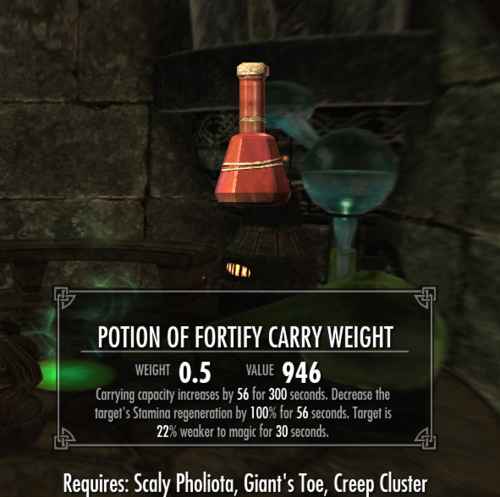
Look out for the “Fortify Carry Weight” enchantment, which raises your carry weight based on the strength of your enchanting or alchemy skills. You can find this enchantment by disenchanting the “leather boots of hauling” obtained from Sinderion’s Field Laboratory in Blackreach.
Alchemy enthusiasts can create potions with the “Fortify Carry Weight” effect using ingredients like Trama Root, Netch Jelly, Juvenile Mudcrab, Giant’s Toe, Hawk Beak, Creep Cluster, Scaly Pholiota, and River Betty.
Armor Pieces with Fortify Carry Weight
Certain unique armor and clothing items further increase your carry weight capacity. Here are some notable examples:
- Blackguard’s Armor (plus 50 carry weight) – Found in the basement of Glover Mallory’s House in Solstheim after completing the “Paid in Full” quest.
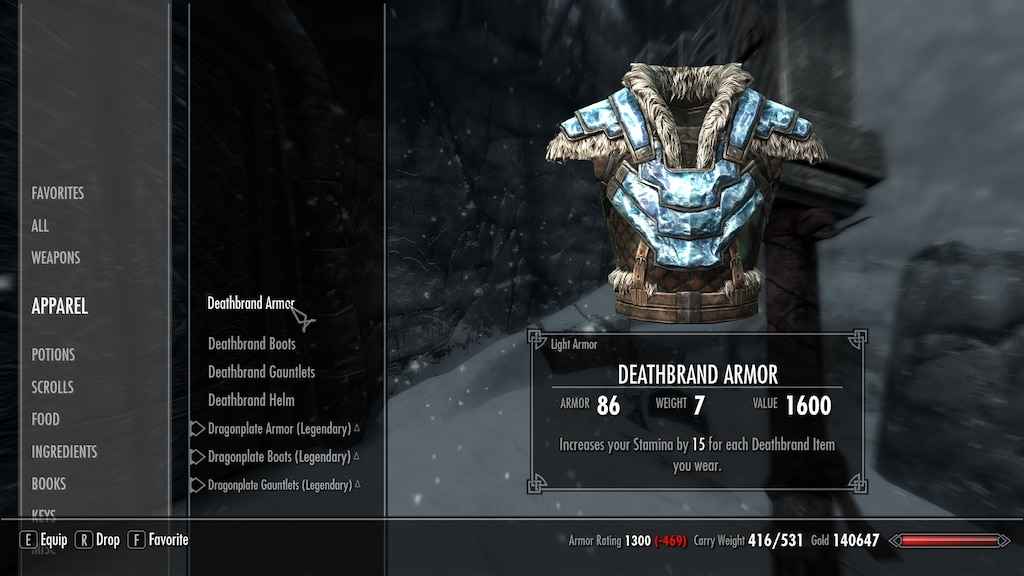
- Deathbrand Boots (plus 10 carry weight for each piece of Deathbrand Armor, up to 40) – Located west of Tel Mithryn, near a group of Ash Spawn.
- Dragon Priest Volsung’s Mask (plus 20 carry weight) – Obtained as a reward for defeating Volsung in the Nordic Ruin of Volskygge.
- Guild Master’s Armor (plus 50 carry weight) – Acquired from Tonilia during the “Under New Management” quest after restoring the Thieves Guild to its former glory.
- Locket of Saint Jiub (plus 50 carry weight) – Given by Jiub after completing the “Impatience of a Saint” quest in the Soul Cairn.
- Thieves Guild Armor (plus 20 carry weight) – Provided to you upon joining the Thieves Guild.
Other Ways to Avoid Being Overencumbered
If you find yourself in a situation where you have valuable loot but nowhere to store it, consider the following options:
- Travel with a Follower or Spouse: They have their own inventory, allowing you to transfer items to them when you run low on space. Remember that followers have limitations, so be mindful of how much they can carry.
- Become a Werewolf: Transforming into a werewolf increases your carrying capacity by a massive 2000 points. Beating that carry weight will be a challenge! Werewolves are as fast as horses, allowing you to run and bypass the fast travel penalty while carrying large loads. Just make sure to transform back before entering populated areas.
- Ride a Horse: Mounting a horse can provide temporary relief from overencumbrance. If you have the summon Arvak spell, it’s even more convenient as you won’t need to walk all the way back to where you left your horse. Enjoy the freedom of riding off into the sunset!
Conclusion
Say goodbye to the frustration of being overencumbered in Skyrim. With these tips and tricks, you now have a range of methods to increase your carry weight.
Whether you prefer console commands, leveling up, exploiting Standing Stones, utilizing perks, harnessing enchantments and potions, or equipping specific armor pieces, the choice is yours. Remember to consider your playstyle and the limitations of each method. Happy adventuring, Dragonborn!
FAQs
- Can I increase my carry weight without using cheats? Absolutely! Skyrim offers various legitimate ways to increase your carry weight, such as leveling up your Stamina, selecting the right perks, using enchantments and potions, and wearing specific armor pieces.
- Will increasing my carry weight affect my character’s movement speed? No, increasing your carry weight does not directly affect your character’s movement speed. However, certain perks like “Unhindered” (Light Armor) and “Conditioning” (Heavy Armor) can improve your movement speed while wearing armor.
- Can I combine multiple methods to maximize my carry weight? Certainly! You can combine different methods to achieve a higher carry weight. For example, you can level up your Stamina, invest in the “Extra Pockets” perk, use enchantments or potions, and wear armor pieces that increase carry weight.
- Is it worth becoming a werewolf solely for the increased carry weight? Becoming a werewolf is a personal choice. While the increased carry weight is a significant advantage, it should be weighed against the other aspects of being a werewolf, such as the transformation limitations and the need to revert to a human form in populated areas.
- Can I lose carry weight bonuses from armor if I remove them? No, once you obtain and equip armor pieces that provide carry weight bonuses, the effects will remain even if you remove the items. However, keep in mind that these bonuses apply only to the equipped armor, not to other items in your inventory.