June 25, 2023

The Latest

Recent Stories

High Kick to the Past: The Karate Kid NES Review

Welcome to our review of The Karate Kid NES game. The Karate Kid is a side-scrolling action game that was released for the Nintendo Entertainment System in 1987. Designed by LJN Toys, the game is based on the popular 1984 movie The Karate Kid. The game is set in the world of the movie and allows players to control the protagonist, Daniel, as he fights his way through various levels, including the Cobra Kai dojo. In this review, we will explore the game’s gameplay mechanics, graphics, sound, story, characters, difficulty, and replay value. Our goal is to provide you with an in-depth understanding of The Karate Kid NES game, covering everything you need to know before playing it. We will also provide a rating and recommendation for the game at the end. Before we delve into the game itself, let’s take a brief look at the Nintendo Entertainment System (NES), as it plays a significant role in the history of gaming. The NES was released in 1985 and is widely considered the most successful video game console of the 1980s. It revolutionized the video game industry and introduced many classic games, including The Karate Kid. So, let’s kick off and see what this game has to offer! The Karate Kid NES Review: Gameplay Mechanics and Controls The Karate Kid NES game provides an immersive experience that requires precise and timely inputs from its players. The controls are comfortable and easy to understand. The characters’ movements are smooth and responsive, and collision detection is spot-on. The game’s difficulty level is gradually increased as you progress through the levels, providing a challenging yet rewarding experience. Combat mechanics and moves in The Karate Kid NES game simulate realistic fighting moves and stances. Players can execute moves like punch, kick, jump-kick, and block, which can vary depending on the character’s position and direction. Each move can be used to perform devastating combinations and finishers that increase the player’s score. The game has different levels and objectives that provide variety in the experience. The player’s objective is to guide Daniel-San through different levels and face different opponents, mostly members of the Cobra Kai dojo. The game’s excellent level design is varied, and each level presents a unique objective to move forward. The game will require players to sweep the leg of opponents or catch flies with chopsticks and fight against the enemy sensei in the end. All in all, The Karate Kid NES game delivers a fantastic and engaging gameplay experience. The controls are intuitive, the moves are diverse, and the combat mechanics are solid. The game’s different levels and objectives provide a variety of challenges that will keep the players motivated to progress. In the next section, we will examine the game’s graphics and sound. Graphics and Sound The Karate Kid for the NES boasts beautiful visuals and animations that perfectly capture iconic moments from the movie. The different levels are beautifully designed and do a great job of immersing players in the world of The Karate Kid. The different moves and attack animations are particularly impressive, and the attention to detail is remarkable. The sound effects in the game are an integral part of the gameplay experience, adding a sense of realism to each punch, kick, and block. The music and voice overs are also noteworthy, perfectly encapsulating the feel and tone of the movie. It’s impressive how the developers managed to recreate such a well-known score that gets the player in the right mood for the game. In comparison to similar NES games, The Karate Kid stands out with its high-quality graphics, animations, and sound. In other games from this era, the graphics are often pixelated or choppy, and the music is repetitive and forgettable. However, The Karate Kid manages to avoid these pitfalls by delivering a visually stunning game with a fantastic soundtrack. The cohesive design and attention to detail make this a game worthy of any NES collection. Story and Characters The Karate Kid NES game is a classic side-scrolling action game that revolves around the events of The Karate Kid movie. The player gets to control Daniel LaRusso as he takes on bullies and wins the All-Valley Karate Tournament, ultimately defeating his nemesis, Johnny Lawrence. The game follows the same storyline as the movie and allows players to relive the iconic moments that made The Karate Kid a fan favorite. One of the most impressive aspects of The Karate Kid NES game is the way it has translated the characters of the movie into the game. Daniel and Johnny are both accurately depicted, with each character having their unique moves and abilities. Players will be able to experience the characters’ motivations and personalities through their actions in the game. When it comes to the game’s antagonist and protagonist dynamics, the game does an excellent job of portraying Johnny and Daniel’s rivalry. Johnny is the stereotypical 80s bully, cocky and ruthless, while Daniel is the underdog determined to overcome the odds. The game encapsulates their unique development throughout their confrontations and accurately presents their contrasting personalities, which makes the game even more enjoyable for fans of the movie. Comparing the game’s storyline to other Karate Kid media, it remains faithful to the original plot, with slight tweaks to fit the platform. The Karate Kid NES game proves to be a genuinely immersive experience for those interested in the movie. It is a great way of reliving movie moments, which is magnificent considering its level of detail in storyline and character development. Difficulty and Replay Value Karate Kid was definitely not an easy game. It was known for its difficulty level, and players had to have patience and dedication to beat it. The game was designed to be challenging, and it required both strategy and skill to progress in the game. In this game, players are tasked with mastering different combat moves and advancing through multiple levels filled with obstacles and enemies. The game’s difficulty increases as the player advances,
Rolling Back the Stone Age: The Flintstones – Rescue of Dino and Hoppy NES Review

Are you searching for an NES game that has some of the cherished aspects of a classic cartoon? Look no further than Flintstones – Rescue of Dino and Hoppy. Released in 1991, this game is a nostalgia-inducing throwback for many gamers; it’s a platformer brimming with collectibles and classic characters. For those who are new to the game, we’ve prepared a detailed review to help you understand the game’s plot, mechanics, gameplay experience, and more. The purpose of this review is to provide a comprehensive look at the game’s design, including its strengths and weaknesses. Get ready to enter a world of prehistoric gaming fun with Flintstones – Rescue of Dino and Hoppy! Overview of the Game The Flintstones – Rescue of Dino and Hoppy is a classic side-scrolling platform game developed for the Nintendo Entertainment System (NES). The game comes with a fairly simple plot: Fred Flintstone’s pet dinosaur Dino and his wife’s kangaroo Hoppy are kidnapped, and Fred, along with his friend Barney Rubble, is on a mission to rescue them. The game has six levels, each of which requires the player to navigate through obstacles, defeat enemies, and overcome challenges. Along the way, players collect items such as bones, hearts, and coins that provide points and power-ups. The game ends with a boss battle against the main antagonist, who has kidnapped Dino and Hoppy. The game’s characters reflect the likenesses of popular characters from the Flintstones TV show. Fred and Barney are the protagonists, while Wilma, Betty, and other characters make appearances throughout the game. The game’s mechanics and controls are straightforward, and players use the NES controller to move the character left or right, jump, and poke enemies with a club or their bare hands. The game has a few hidden power-ups and items that can help players progress through levels. The game received mixed reviews upon release, with some praising its presentation, gameplay, and challenge factor, and others criticizing certain aspects of the game, such as the frustratingly difficult boss battles and lack of variety in gameplay. Gameplay and Features Flintstones – Rescue of Dino and Hoppy is a platformer game with simple mechanics. The game comprises five stages, and each one has its own set of unique challenges and obstacles. In each stage, the player controls Fred Flintstone as he navigates his way through various terrains with the ultimate goal of rescuing his pet Dino and his adopted hopparaoo, Hoppy. Throughout the game, Fred faces different enemies, such as saber-tooth tigers, cavemen, and prehistoric birds. To defeat them, he can use his club to knock them out or jump on them. The game also includes various power-ups, such as hearts to restore health, invincibility power, and extra lives. Completing each stage requires a combination of jumping, timing, and dexterity. In level one, for example, Fred jumps across platforms over water and fights off prehistoric birds. In level two, Fred must slide down a series of chutes and dodge various hazards while picking up items. Level three presents a more complex maze-like terrain, with interlocking cogwheels and conveyor belts. The game’s mechanics are simple yet fun, as players must use timing and strategy to outsmart each level’s challenges while avoiding enemies and hazards. The different power-ups and enemy styles keep the gameplay interesting, ensuring that players are constantly engaged. The different gameplay features contribute to the overall experience of the game in a significant way. The straightforward mechanics and controls make Flintstones – Rescue of Dino and Hoppy accessible to players of all skill levels. The game’s different levels and obstacles provide a challenge that ensures players remain engaged and motivated as they progress through the stages. Overall, Flintstones – Rescue of Dino and Hoppy is an enjoyable gaming experience that offers hours of entertainment. The combination of unique levels, different enemies and power-ups, and straightforward mechanics creates an interesting and engaging gameplay experience. Graphics and Sound Flintstones – Rescue of Dino and Hoppy on the NES boasts bright colors and impressive animations. The game visually transports players back to Bedrock, where Fred Flintstone, Barney Rubble, and Dino go on a series of adventures. The characters are well-designed, and seeing them in an 8-bit world is a treat. The game’s soundtrack is energetic and lighthearted and fits well with the overall game theme. The background music is catchy and engaging, and the sound effects are spot-on. Players will hear Dino’s growls and Fred’s yells perfectly, elevating the immersion experience of the game. The graphics and sound are a significant factor in how the game is perceived by players and add to the gameplay experience. Overall, the graphics and sound of Flintstones – Rescue of Dino and Hoppy are some of the strongest aspects of the game, creating an immersive and nostalgic atmosphere that players will not forget soon. Comparison with Similar Games At the time of its release, “Flintstones – Rescue of Dino and Hoppy” was just one of several platformer games available on the Nintendo Entertainment System (NES). Some of the most popular games of the time included “Super Mario Bros.,” “Mega Man,” and “DuckTales.” Though all of these games share some similarities with “Flintstones – Rescue of Dino and Hoppy,” there are several key differences that set the Flintstones game apart. Firstly, the “Flintstones – Rescue of Dino and Hoppy” game is based on the famous cartoon TV show “The Flintstones.” This gives it a unique appeal and an established fanbase that some of the other games lacked. Additionally, “Flintstones – Rescue of Dino and Hoppy” offers unique gameplay features that distinguish it from similar platformer games. For example, the game requires players to control two characters simultaneously, Fred Flintstone and Barney Rubble, both of whom have different abilities that must be used strategically to complete levels. This adds an extra layer of difficulty and complexity that is not present in many other platformer games. Moreover, “Flintstones – Rescue of Dino and Hoppy” offers a variety of themed levels that keep gameplay

Nostalgia Trip: Smash TV NES Game Review

Welcome fellow gamers! Today, we take a trip down memory lane with one of the most iconic NES games of all time – Smash TV. As we all know, video games have the ability to transcend time and create memorable experiences. The nostalgia factor is a big enticement for gamers, pulling us back in time to relive the joys of our childhood. Smash TV is a game that holds a special place in the hearts of many gamers and we’re excited to give our take on this classic game. So, what makes this game special? For starters, it is one of the pioneers of the top-down shooter genre. Developed by the gaming titans Williams Entertainment and Eugene Jarvis, it was released in 1990 which was a relatively early era in gaming. In this article, we will delve deeper into all aspects of this fantastic game. From its development to its gameplay mechanics, we will explore it all! History of Smash TV Smash TV is an arcade-style video game developed and published by Williams Electronics in 1990. The game features a dystopian theme and a gameplay style that is reminiscent of old-school arcade games. It became an instant hit, popular for its frenetic gameplay, high-tech weaponry, and unique game mechanics. The game is a spiritual successor to another popular arcade game, Robotron: 2084, which was also developed by Williams Electronics. Despite being released over 30 years ago, the game’s core gameplay mechanics are still well-received among the gaming community. Smash TV’s impact on the gaming industry is undeniable. Its success led to the development of other arcade-style games like Total Carnage and Super Smash TV. The game’s popularity inspired other developers to create similar games that feature themes of violence and dystopia. When Smash TV was first released, it received heavy criticism due to the nature of its violent content. Some gamers found it a little too intense and gory. However, the game quickly became a cult classic due to its unique gameplay mechanics and frenetic style. It was a commercial success and was ported to several gaming platforms, including the NES, Game Boy, and Sega Genesis. Smash TV’s legacy continues even to this day, with several modern games adopting similar gameplay mechanics and themes. The game’s success helped pave the way for other wildly successful arcade-style games like Mortal Kombat and Street Fighter II. In conclusion, Smash TV has an impressive history in gaming. Its development and release marked a shift in the industry, and its success paved the way for other popular arcade-style games that followed. Its impact continues to be felt even today, with the legacy of arcade-style gaming still seeing an influence from the withstood popularity of pre-boom games like Smash TV. Gameplay Mechanics When discussing the gameplay mechanics of Smash TV for NES, we must first talk about the controls and interface. This game utilizes a simple controls system that is easy to master and allows the player to focus on the action. The directional pad is used to move, and only two buttons are utilized: one for firing and one for special weapons. This straightforward control scheme simplifies the experience and makes it accessible for players of all skill levels. The play style of Smash TV can be described as top-down shooter with twin-stick controls, meaning the movement and shooting are independent of each other. This play style makes the gameplay feel smoother and more dynamic, allowing players to aim their weapon one way while moving in another direction. Power-ups are an essential aspect of Smash TV’s gameplay. These power-ups can provide health, increase weapon damage, or enhance the player’s mobility. Strategically gathering these power-ups is important for players looking to progress through the game’s levels. In conclusion, Smash TV’s intuitive controls, twin-stick play style, and innovative power-up system make it an enjoyable and engaging gaming experience. These mechanics, when combined with the game’s arcade-style presentation, make it a perfect game to revisit and enjoy with a burst of nostalgia. Graphics and Sound One of the standout features of Smash TV on the NES is its unique combination of graphics and sound. The graphics are well-designed, with sharp, colorful pixels and a retro style. The game’s top-down view makes it easy to distinguish characters and obstacles, which is crucial since the gameplay involves fast action and often intense battles. Furthermore, the sound effects in Smash TV are superb. From the satisfying chime when collecting a power-up to the electrifying explosions of boss fights, the soundscape of the game is masterfully designed. It successfully creates a feeling of excitement and danger that keeps players hooked. Together, these elements contribute to the overall vibe of the game. With its retro graphics and electrifying sound effects, Smash TV feels like a living, breathing time capsule from the golden age of arcade gaming. There’s a sense of nostalgia that comes with playing this game, which perfectly complements the fast-paced, addictive gameplay. In conclusion, the graphics and sound in Smash TV are integral to the game’s experience. They work together to create a unique ambiance that draws players into the world of the game. The combination of retro graphics and well-designed sound effects gives the game a sense of authenticity that sets it apart. Replayability and Legacy One of the defining features of Smash TV is the game’s lasting appeal. Despite being released over three decades ago, the game continues to captivate gamers of all ages. The longevity of Smash TV can be attributed to several factors, including the game’s addictive gameplay and unique visual style. When compared to modern gaming trends, Smash TV may seem simplistic and outdated. However, the game’s top-down, twin-stick shooter mechanics inspired a legion of games that followed. Titles like Geometry Wars and Helldivers took cues from the Smash TV playbook and expanded upon its core gameplay concepts. For many gamers, though, Smash TV is much more than just a vintage arcade game or an influential work of game design. The game has a

Social Media

New From Game-Revolution

Get The Latest Updates

Subscribe To Our Weekly Newsletter

No spam, notifications only about new products, updates.

Categories

Trending

Most Popular Stories

Fixing MTG Arena Friends List Not Working

The MTG Arena friends list may stop working for a few common reasons: friend requests fail, a display name or five-digit number does not match exactly, Direct Challenge or Challenge Lobby screens get stuck, the social panel shows outdated information, or Arena is dealing with a server-side issue. If you are trying to add friends, receive requests, or start a match and nothing behaves the way it should, the usual fixes are checking the exact account name and number, restarting the client, updating the game, and making sure your network connection is stable. The MTG Arena friends list is supposed to make playing with friends simple: add a player, send a challenge, pick decks, and start the match. When it works, great. When it does not, you get the full Arena social experience: missing friend requests, stuck challenge screens, mismatched names, and two players staring at menus while insisting they definitely typed everything correctly. Most MTG Arena friends list problems fall into a few buckets. The friend request will not send. The friend does not appear. The display name or five-digit number is wrong. Direct Challenge or Challenge Lobby invites get stuck. The social panel shows outdated information. Or the entire friends list behaves like it has been hit by a very legal, very annoying bounce spell. Wizards has also acknowledged multiple social and challenge-related issues over time, including Direct Challenge mismatched-option behavior, friend requests lingering after acceptance, challenge animations looping, and friend challenge UI problems. So if you are having trouble, it is not always user error. Sometimes the client is simply doing Arena things. This guide focuses on the fixes that matter most to players dealing with friends list and challenge problems, from basic checks and cache clearing to advanced network troubleshooting, bug reporting with logs, and a few habits that help keep the feature working reliably. https://magic.wizards.com/en/mtgarena Gathering Arena Friends List Context The friends list in MTG Arena is tied to your Wizards account display name, your five-digit identifier, the client’s social menu, and the current challenge system. Older guides and many players still say “Direct Challenge,” while newer Arena updates introduced Challenge Lobbies, which unified Friend Challenge and Direct Challenge into one lobby-style system. Wizards announced Challenge Lobbies as a social feature upgrade that lets players create lobbies from the Challenges section of the social menu or invite online friends from the friends list. That matters because some troubleshooting depends on which flow you are using. A friend request issue is different from a challenge issue. A display name problem is different from a server-side social outage. And a challenge that will not start may have nothing to do with your friends list at all. Start with the simplest explanation first. Check spelling, restart the client, confirm the game is updated, then move into cache, reinstall, logs, and support. Quick Checks For MTG Arena Friend List Before deleting files or reinstalling anything, run through the basic fixes. They are boring, yes. They also solve a surprising number of Arena problems, which is somehow both comforting and irritating. First, restart MTG Arena completely. Do not just return to the home screen. Close the client, wait a few seconds, and relaunch it. On mobile, force close the app and reopen it. Next, check the official MTG Arena status page. The status page tracks platform and service components such as Windows, macOS, Android, iOS, Game, Logins, Matches, Social, and Store. If Social, Logins, or Matches are degraded, your friends list may not behave normally no matter what you do locally. Then update the game. If Arena is asking for a small download or restart after a patch, both players should update before trying to add friends or challenge each other. Wizards notes that update and install problems can come from network issues, Windows-level problems, or leftovers from a partial install. Finally, confirm your network is stable. If Arena loads slowly, hangs on menus, or disconnects often, the friends list may only be a symptom. On mobile, Wizards recommends checking the device’s internet connection, toggling Wi-Fi off and on, restarting the device, force closing background apps, updating the app, and reinstalling if needed. Troubleshoot: Add Friends And Display Name Issues Most failed friend requests come down to the display name. Friends list issues in MTG Arena are common because Arena is strict about username formatting. MTG Arena names are not just “PlayerName.” They include the visible display name plus a five-digit number, usually shown in the format DisplayName#12345. Wizards’ Direct Challenge FAQ says players need both the display name and the five-digit number associated with the account. It also notes that display names are case sensitive, which means DragonFan#12345 and dragonfan#12345 may not be treated the same. Check these details before assuming the friends list is broken: Make sure the display name is typed exactly as shown. Confirm capitalization. Confirm the five-digit number separately. Do not include extra spaces before or after the name. Make sure your friend is sending you the correct account name, not the name from an old or secondary account. That last point matters. Wizards explains that two accounts can have the same display name text but different five-digit identifiers, such as SameDisplayName#12345 and SameDisplayName#54321. If a player accidentally logs into or creates a secondary account, the friends list lookup will not point to the account they actually use. The safest method is to have your friend copy their full Arena name from the client and send it to you outside the game. If they type it manually, ask for a screenshot. It feels overly cautious until you lose ten minutes to one lowercase letter. Step-by-Step: Add Friends To add a friend in MTG Arena, use the friends list panel rather than guessing from the main Play menu. Open the Friends List panel, usually found at the bottom-left of the Arena client. Click the plus sign at the top right of the friends list. Enter the exact Arena username for the person you want to

Cheap MTG Cards: Budget Options for Magic Collections

Cheap MTG Cards are not just for new players. They are for Commander brewers, cube builders, collectors who like having options, and anyone who has ever looked at the price of one land and thought, “Surely cardboard has gone too far.” The best budget strategy is not one single source. It is a mix. Use real singles when you need tournament legality, use lots when you want volume, use proxies for casual testing, and use ready-made cube products when you want a complete play experience without turning your evenings into spreadsheet maintenance. Gathering Cards: Cheap MTG Cards Sources The cheapest MTG collection strategy usually breaks into four lanes. ProxyMTG.com is a strong choice for bulk budget proxies and on-demand printed proxy cards for casual use. Print-at-home proxies are the cheapest overall route if your group allows them and you already have a printer. PrintACube.com is worth considering if you want a ready-to-draft 540-card cube near the $100 mark. For authentic cards, compare singles against bulk lots before buying, because “cheap” can mean very different things depending on your goal. Singles are better when you need specific cards. Lots are better when you want maximum cardboard per dollar. Proxies are better when you want to test decks or protect expensive originals. Cubes are better when you want an entire repeatable format in one purchase. ProxyMTG.com And Bulk Proxies ProxyMTG.com is one of the better budget options for players who want bulk proxies and on-demand printing. The value improves as order size increases, which matters if you are printing a Commander deck, testing multiple decks, or building a cube. Before ordering from any proxy seller, check the reputation, production samples, card feel, customer photos, and shipping policies. Good proxy cards should be clearly treated as proxies, not as tournament-legal originals. They should also be readable, consistent in size, and easy to sleeve. Also check delivery times and shipping costs before buying. A low per-card price can get less exciting once shipping, tracking, taxes, and rush fees join the table like an uninvited combo player. Print At Home: Cheapest Route Printing proxies at home is usually the lowest per-card cost. It is not the prettiest option, but it works well for deck testing, kitchen-table Commander, cube prototypes, and deciding whether a card is actually good before spending money on the real version. For better durability, print on heavier cardstock or print on paper and sleeve the proxy in front of a bulk card. The sleeve and backing card do a lot of the work. You are not trying to create a museum object. You are trying to remember whether your seven-mana dragon is playable or just emotionally persuasive. Check local event rules before using printed proxies. Home-printed cards are fine for many casual groups, but sanctioned Magic events require authentic cards except for judge-issued proxies in narrow tournament situations. PrintACube.com Cheap Cube Option PrintACube.com is a useful shortcut for players who want a full cube without buying hundreds of individual singles. Its headline value is the ability to get a complete 540-card cube around $100, which is hard to beat if your goal is draft nights rather than collecting originals. This is especially attractive for cube beginners. Building a cube from scratch can be fun, but it also means choosing archetypes, balancing colors, sourcing cards, sleeving everything, and updating the list over time. Buying a ready cube skips a lot of that work. If your playgroup wants a repeatable draft experience and does not care whether every card is an authentic original, a ready-made proxy cube can be one of the most cost-efficient MTG purchases you make. Buying Singles Vs Lots Buy singles when you need exact cards. This is the right move for Commander staples, missing lands, sideboard cards, or format-specific pieces. Singles reduce waste because you are not buying 800 random cards to find three that matter. Buy lots when you want volume. Bulk lots are useful for new players, casual deckbuilding, school clubs, cube experiments, and anyone who wants a pile of commons and uncommons for cheap. Just understand that most lots are not secretly filled with expensive staples. Sellers also know how Google works. Compare per-card prices across multiple sellers. A $20 lot of 1,000 cards sounds great, but if shipping is $18 and the lot is mostly duplicate draft chaff, the value may be less impressive. On the other hand, a well-sorted lot with lands, tokens, commons, uncommons, and usable rares can be a great starter purchase. Local Sources And Community Local game stores are still one of the best places to find cheap MTG cards. Many stores have bulk boxes, discounted binders, damaged-card bins, and low-cost singles that are not worth listing online. Trade nights can be even better. Bring cards you do not use and trade into cards you actually need. For budget players, trading is often more effective than buying because you are converting dead collection value into playable cards. Also scan Facebook Marketplace, local classifieds, and community groups regularly. Collections appear when players move, quit, clean out closets, or decide that they have too many white storage boxes. Which, to be fair, is all of us eventually. MTG Cards: Quick Buying Tips Compare market prices across major trading sites before you buy. Do not rely on a single listing. One seller asking $12 for a $3 card does not make the card $12. It makes that seller optimistic. Check seller photos for condition accuracy, especially on older cards, foils, and higher-value staples. “Lightly played” can mean very different things depending on the seller’s eyesight and moral flexibility. Set alerts for price drops on targeted cards. Price trackers are useful for Commander staples, reprints, and cards that spike because of new set previews. If you can wait, waiting often saves money. Magic The Gathering Basics For Budget Buyers Rarity affects price, but it does not control price by itself. Commons and uncommons are usually cheaper because they are printed more frequently, while rares and

Where to Buy MTG Proxies: Best Sites, Pricing, And How To Order

TLDR The best place to buy MTG proxies depends on what you need. ProxyMTG.com is the best pick for deck-building tools and bulk pricing. PrintMTG.com is best for high-quality print on demand proxies with strong cardstock and service. ProxyKing.biz is best for single staples, dual lands, and realistic proxy cards. For print-at-home testing, use MTGprint. For cubes and large custom batches, consider ProxyPrintery or MakePlayingCards with MPCFill. Avoid PrintingProxies for bulk orders if price matters, since its published high-volume pricing is much higher than ProxyMTG and PrintMTG. Avoid Proxxied if you are trying to buy finished cards, because it is a browser-based print-at-home tool, not a finished-card seller. What This Guide Covers Buying MTG proxies can mean a few different things. Some players want a full Commander deck printed and shipped. Some want a few expensive staples for casual play. Some want a print-at-home PDF. Some want custom cards, double-sided cards, foil upgrades, or an entire cube. This guide is for players who want to know where to buy MTG proxies, what each site is best at, how pricing works, and how to place an order without creating a pile of unusable cards. The selection criteria are simple: print quality, cardstock fidelity, price per card, bulk-order value, ordering tools, decklist import support, turnaround, reputation, realistic appearance, and whether the site is better for casual play, playtesting, custom cards, or full-deck production. The short version: start with ProxyMTG.com, PrintMTG.com, or ProxyKing.biz if you want finished cards. Use MTGprint if you want print-at-home control. Use MPC if you are comfortable with a more involved workflow and want low per-card pricing on custom deck production. Why Choose MTG Proxies Players use MTG proxies for three main reasons: casual play, playtesting, and protecting expensive Magic cards. Casual play is the big one. Commander players often want to try a mana base, a few Reserved List cards, a cEDH shell, or a new deck idea without spending hundreds or thousands of dollars first. A proxy lets the group focus on the game instead of everyone’s collection value. Playtesting is another good use. If you are tuning a cube, testing a new Commander list, or trying cards before buying real copies, proxies save time and money. You can test ten versions of a card package before deciding which real cards are worth buying. Protection matters too. If you own expensive MTG cards, you may not want to shuffle them every week. ProxyKing describes proxies as stand-ins that let players avoid damaging high-value cards, especially expensive staples, dual lands, fetch lands, and other cards that can be costly to replace. Proxies are also useful for custom cards. Some players print custom commanders, cube cards, joke cards, tokens, alternate art versions, or entire deck projects. This is where services like PrintMTG, ProxyMTG, ProxyPrintery, MTGprint, and MPC start to feel very different from each other. How We Chose The Best MTG Proxies The first filter is print quality. A good proxy should be readable, centered well enough for sleeved play, and printed on cardstock that does not feel like paper in a sleeve. For higher-end orders, S33 German black-core stock is a common premium choice because it has a black-core center layer that blocks light and gives cards a more finished feel. The second filter is price. A few single cards can cost more per card and still make sense. A full Commander deck, cube update, or 500-card bulk order needs better pricing. ProxyMTG and PrintMTG both publish bulk pricing that drops as low as $0.30 per card at 1,000+ cards. The third filter is ordering friction. Decklist import matters. Searching card by card is fine for five cards. It is not fine for a full cube unless you enjoy turning admin work into a second hobby. The fourth filter is reputation and use case. Some sellers are best for realistic singles. Some are better for high-volume deck building. Some are better for home printing. And some are fine products but not the best value for the job. Best 6 Sites To Buy MTG Proxies For Deck Building 1. ProxyMTG ProxyMTG.com is the strongest first stop for players who want to print MTG proxies from a decklist, build large orders, and keep pricing clear. It is built around Commander, cube, casual play, and deck testing, with tools for browsing sets, searching cards, uploading lists, choosing versions, and checking out. Its main strength is bulk pricing. ProxyMTG lists a single card at $3, then $2 per card for 2–9 cards. Pricing drops as the order grows: $1.50 at 10–29 cards, $1.25 at 30–49, $1 at 50–74, $0.80 at 75–99, $0.55 at 100–199, $0.45 at 200–499, $0.35 at 500–999, and $0.30 at 1,000+ cards. That makes it especially good for full Commander decks, cube updates, and larger playtest batches. Ordering And Import Decks The cleanest ProxyMTG workflow is to upload a decklist or build a list inside the order tool. The site says users can browse the card library, choose versions, adjust quantities, and watch pricing update as the order grows. A typical order looks like this: ProxyMTG states that it prints on premium S33 German black-core cardstock with a UV coating, which is a good sign if you want cards that feel more like finished game pieces than paper inserts. Double-Sided MTG Proxies And Foil Options For double-sided cards, check the current order builder and ask support if the option is not obvious. ProxyMTG’s public customization guidelines mention custom backs and printed “holo stamp” style graphics when offered, but also clarifies that those are printed graphics, not physical foil stamps or authentication features. That distinction matters. If you need true foil upgrades or double-sided MTG proxies, confirm the option before placing a large order. Do not assume every proxy printer handles MDFCs, transform cards, custom backs, and foil effects the same way. Best for: full Commander decks, cube updates, large-volume deck building, and players who want strong pricing without building an MPC order themselves. Contact: ProxyMTG lists support@proxymtg.com as

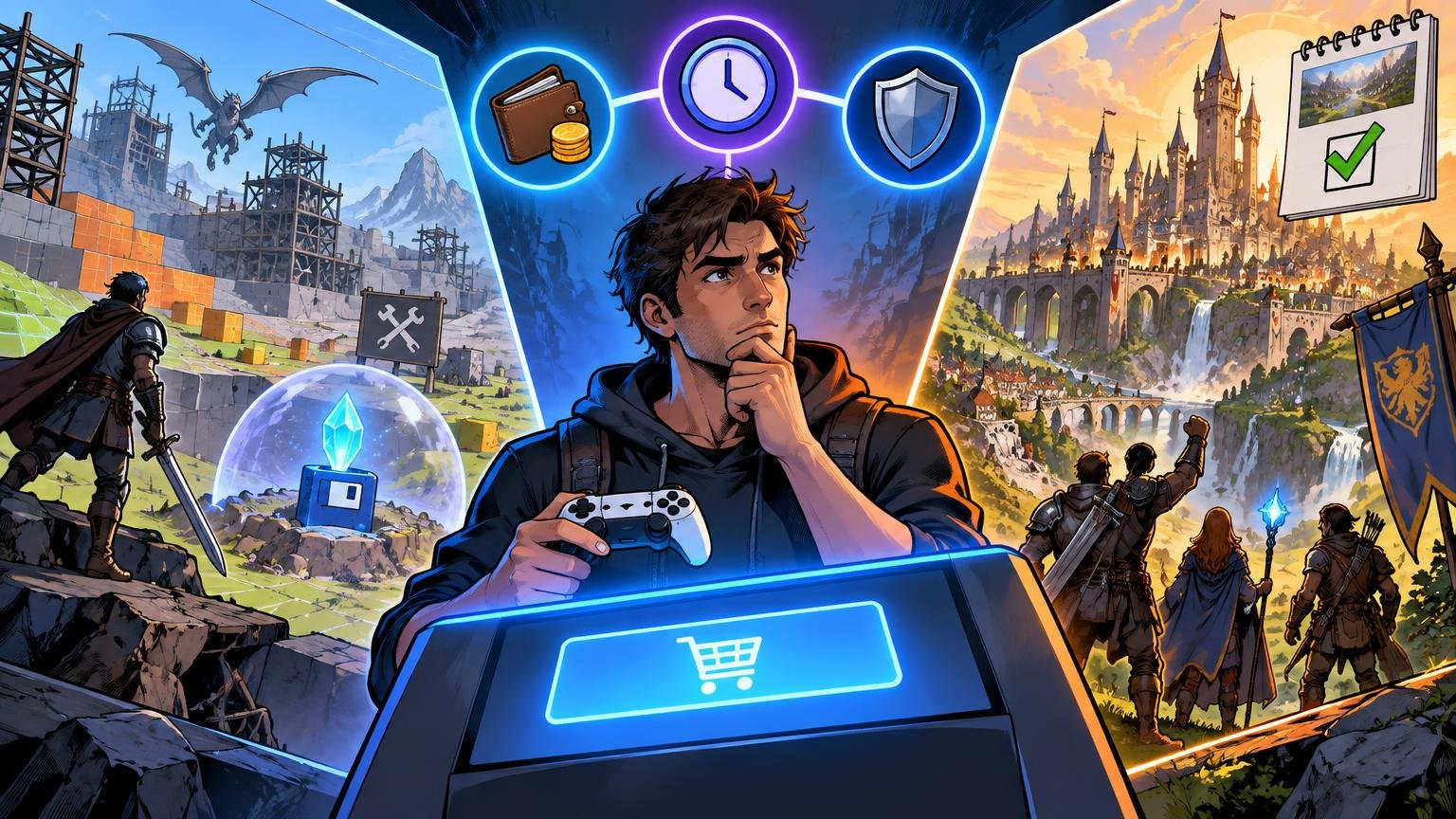
How To Finish More Games When Your Backlog Is Out Of Control

TLDR A big game backlog feels like a good problem until it starts feeling like a second job. You buy a game on sale. Then a subscription adds ten more. Then your friends start a co-op game. Then a new RPG drops. Suddenly your library is full of half-started games, and opening the console feels less relaxing than it should. Learning how to finish more games is not about becoming more disciplined in a miserable way. It is about making games feel playable again. Stop Calling It A Backlog If That Makes It Feel Like Work The word “backlog” is useful, but it can also make games sound like chores. Games are entertainment. They can be art, social spaces, challenge machines and comfort food, but they are still something you choose to do. You do not owe every game a full clear. If your backlog makes you feel guilty, change the label. Call it your library. Call it the shelf. Call it “stuff I might play later.” The point is not to trick yourself. It is to stop treating every unplayed game like unfinished homework. That small shift helps. Pick Three Active Games The best backlog rule is simple: keep only three active games. A good three-game rotation might look like this: For example: Or: This works because different moods need different games. Some nights you want progress. Some nights you want something easy. Some nights you want to talk to friends and barely pay attention to objectives. The mistake is having 12 active games. That is not variety. That is noise. Decide What “Finished” Means Before You Start Not every game needs the same finish line. For some games, finishing means credits. For others, it means one campaign clear, one ranked season, one ending, one build, one world, one route or one good weekend. Before starting a game, pick the level of commitment: This prevents the common trap where every game silently becomes a 100% project. Most games do not need that. Most players do not even want that. They just feel like they are supposed to. Use A Fair Quit Rule Quitting a game is allowed. That should not be controversial, but people get strange about it. They spent money, heard it gets good later or feel like they are “bad at games” if they stop. Use a fair quit rule instead. Try one of these: A fair trial is enough. You do not need to finish a game to respect it. Be Honest About Long Games Long games are not bad. Some of the best games ever made are huge. But long games crowd the calendar. If you are playing a 100-hour RPG, you probably should not start three other 60-hour games at the same time. That is how backlogs turn into fog. When you start a long game, pair it with something short. A puzzle game, arcade game, roguelite run or linear action game can keep your rotation fresh without derailing the main project. Also be careful with massive open-world games from subscriptions. They feel free, but time is still the cost. Sales Are Not Savings If You Never Play The Game A $70 game for $8 looks like a deal. Sometimes it is. But if you never install it, you did not buy entertainment. You bought a digital receipt. The same goes for bundles and subscription catalogs. Cheap access is only useful when it leads to actual play. A good sale rule: do not buy a discounted game unless you can name when you plan to play it. Not a perfect rule. But it stops a lot of random library clutter. Separate Comfort Games From Backlog Games Some games are not meant to be finished. Sports games, multiplayer shooters, roguelikes, MMOs, survival games, cozy sims and live-service games often function as routines. You play them because they feel good, not because you are moving toward credits. That is fine. Just do not let them hide the fact that you also want to finish other games. Give comfort games a place. Maybe Friday night is for multiplayer. Maybe Sunday morning is for a cozy game. Then keep your main single-player game protected during other sessions. This is not rigid scheduling. It is just giving different types of games different jobs. Play Short Games Between Big Ones Short games are the secret weapon. A six-hour game can reset your attention. It gives you a clean start, clear progress and a finish line you can actually reach. Short games also remind you that not every good game needs to take over your life. Some of the most memorable games are small, focused and confident enough to end. If your backlog feels stuck, play something short next. Not because short is better. Because momentum matters. Make A “Not Now” List You do not have to delete games from your life forever. Make a “not now” list for games you still respect but do not want to play yet. This is useful for big RPGs, dense strategy games and games tied to a specific mood. A “not now” list removes pressure without pretending you will never return. It also clears your active list, which is what matters most. The Simple Backlog System Here is the clean version: That is enough. You do not need a productivity app for your hobbies unless you enjoy that sort of thing. Why This Matters The U.S. gaming audience is huge. The Entertainment Software Association reported in 2026 that 212.3 million Americans play video games every week. With more players, more subscriptions, more storefronts and more constant releases, it is easy for games to pile up faster than people can play them. The answer is not to rush through everything. The answer is to choose better, quit cleaner and stop letting your library boss you around. FAQs How many games should I play at once? Two or three active games is a good limit for most players. More than that can make progress feel